在本教程中你将学习如何在macos上搭建深度学习平台
Mac 环境配置
/usr/bin/ruby -e "$(curl -fsSL https://raw.githubusercontent.com/Homebrew/install/master/install)"
自备小火箭
export ALL_PROXY=socks5://127.0.0.1:1080
官网下载3.6.5包
基本依赖安装
brew install cmake pkg-config wget
brew install jpeg libpng libtiff openexr
brew install eigen tbb hdf5
Python虚拟环境安装
可以选择pipenv(虽然我很讨厌这个包),也可以采用virtualenvwrapper
这里选用virtualenvwrapper
- 安装 virtualenv virtualenvwrapper
pip3 install virtualenv virtualenvwrapper
$ vi ~/.profile 或者 vi ~/.zshrc

# virtualenv and virtualenvwrapper
export WORKON_HOME=$HOME/.virtualenvs
source /usr/local/bin/virtualenvwrapper.sh

$ source ~/.zshrc
mkvirtualenv DeepLearning
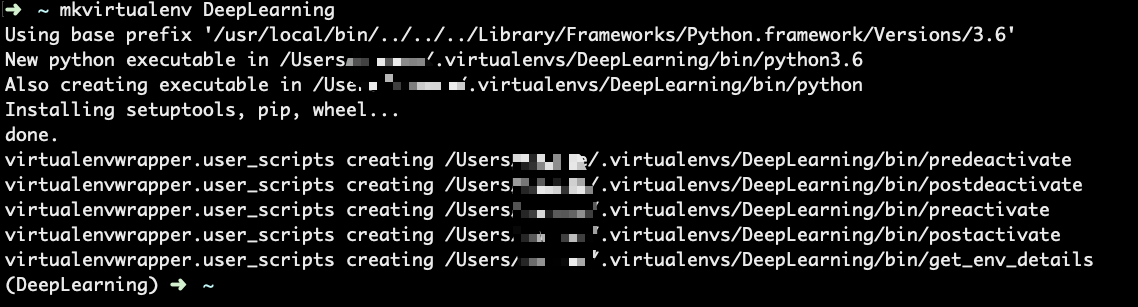
激活虚拟环境
安装OpenCv IPython
pip install opencv-contrib-python -i https://pypi.douban.com/simple/
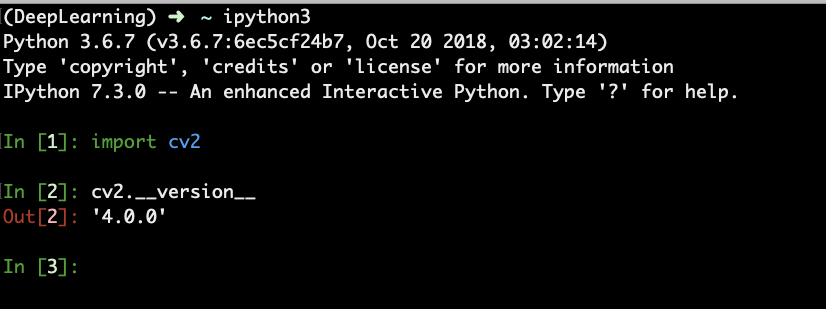
pip install ipython -i https://pypi.douban.com/simple/
安装TensorFlow和Keras
pip install scipy pillow -i https://pypi.douban.com/simple/
pip install imutils h5py requests progressbar2 -i https://pypi.douban.com/simple/
pip install scikit-learn scikit-image  -i https://pypi.douban.com/simple/
pip install matplotlib -i https://pypi.douban.com/simple/
mkdir ~/.matplotlib
touch ~/.matplotlib/matplotlibrc
echo "backend: TkAgg" >> ~/.matplotlib/matplotlibrc
pip install tensorflow -i https://pypi.douban.com/simple/
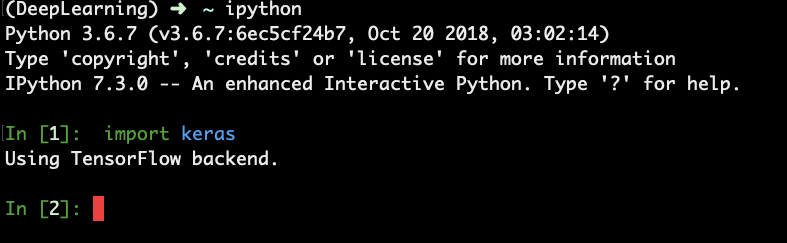
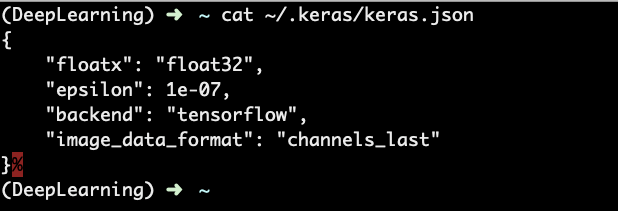
pip install keras -i https://pypi.douban.com/simple/
- 验证
Demo运行
计算张量积(在tensorflow程序中所有的数据都通过张量的形式来表示)
import tensorflow as tf


x1 = tf.constant([1,2,3,4])
x2 = tf.constant([5,6,7,8])
result = tf.multiply(x1, x2)

with tf.Session() as s:
    print(s.run(result))

# out: [ 5 12 21 32]
在本教程中你将学习如何在macos上搭建深度学习平台
Mac 环境配置
/usr/bin/ruby -e "$(curl -fsSL https://raw.githubusercontent.com/Homebrew/install/master/install)"export ALL_PROXY=socks5://127.0.0.1:1080基本依赖安装
Python虚拟环境安装
激活虚拟环境
安装OpenCv IPython
安装TensorFlow和Keras
Demo运行