GameBoyEmulator is a pure C# implementation of the original Game Boy hardware. It allows you to run Game Boy games in a Windows command-line environment, with support for key components like the CPU, memory, and graphics processing (PPU). This emulator focuses on accuracy and performance while maintaining a clean and readable codebase, making it a great resource for anyone interested in emulation or CPU architecture.
- 🕹️ Game Boy ROM Support: Runs standard 32KB Game Boy ROMs.
- 🧠 CPU Emulation: Partial instruction set coverage for the Game Boy's Z80-based CPU.
- 🎨 Graphics (PPU): Rendering of the Game Boy's 160x144 pixel screen, including background and sprites.
- 🎮 Input Handling: Polling for joypad input for controlling in-game actions.
- 🖥️ Command Line Interface: Simple CLI for loading and playing games.
- 🛠️ Debug Mode: Step-through frame functionality for debugging game behavior.
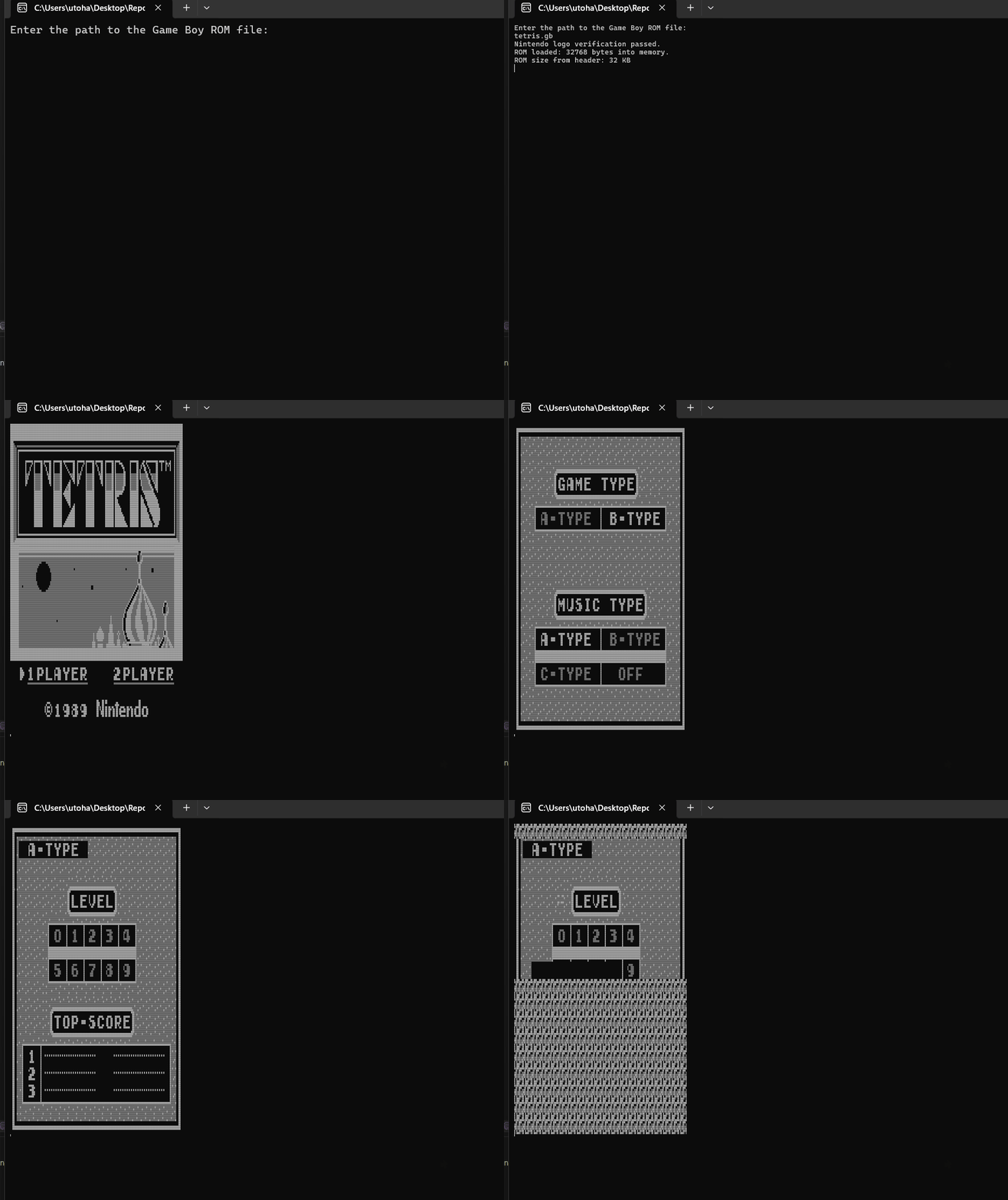
Screenshot of Tetris running on GameBoyEmulator
- 🟢 .NET Core
- 🟢 Any OS
-
Clone the repository:
git clone https://github.com/EZroot/GameBoyEmulator.git
-
Open the solution in Visual Studio or your preferred IDE.
-
Build the project to generate the executable.
-
Place your Game Boy ROM files in the same directory as the emulator executable.
-
Run the emulator via the command line:
GameBoyEmulator.exe path_to_rom.gb
- Arrow Keys: D-Pad (Up, Down, Left, Right)
- Z: A Button
- X: B Button
- Spacebar: Start
- A: Select
If you'd like to contribute to this project, feel free to fork the repository and submit a pull request. Contributions for new features, performance improvements, and bug fixes are highly welcome!
This project is licensed under the MIT License. See the LICENSE file for more details.
- Inspired by various Game Boy emulators and resources that explain the Game Boy hardware.
- Special thanks to the open-source community for providing a wealth of resources on emulation.