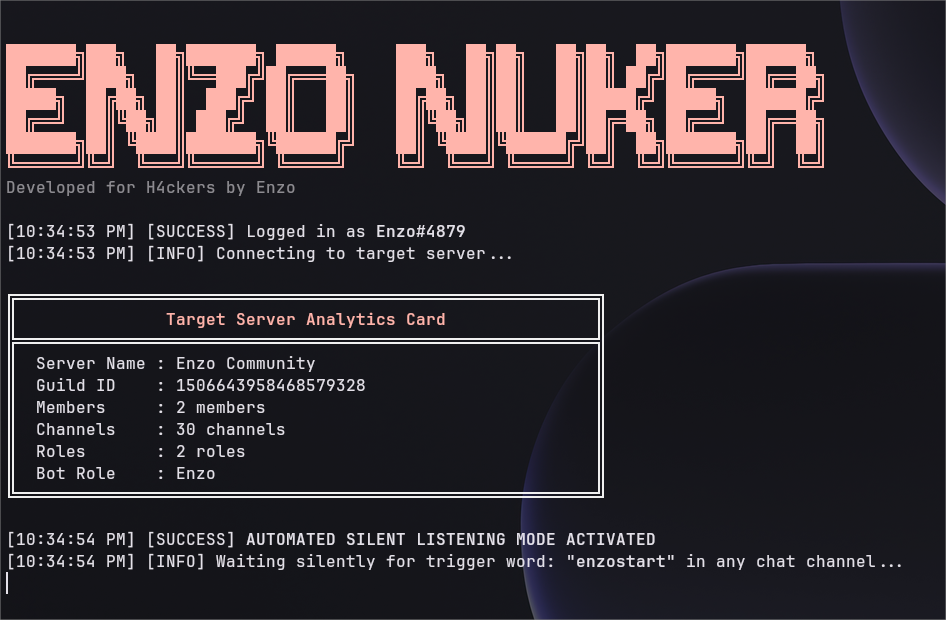
A minimalist, unthrottled server reset engine executing absolute parallel Discord API operations.


Warning
Legal Disclaimer: This utility is designed exclusively for server administrators to reset, clean, or test authorized guild structures. Unauthorized usage on servers where you do not possess ownership or explicit written permission is strictly prohibited and may violate Discord's Terms of Service. The developers assume no liability for misuse, bans, or legal consequences resulting from unauthorized application.
- Features
- Technical Specifications
- Prerequisites
- Installation
- Configuration
- Usage
- Security & Permissions
- Support
- Parallel Execution: Utilizes
Promise.allSettledfor fully parallel promise resolution, ensuring maximum speed. - Silent Operation: Functions as a silent remote trigger listener without unnecessary chatter.
- Minimalist Design: Lightweight codebase focused solely on efficiency and performance.
- Customizable: Easily adjustable configuration for server names, channel counts, roles, and trigger words.
- Unthrottled Logic: Optimized to bypass standard rate limits through aggressive parallelism.
| Component | Requirement |
|---|---|
| Runtime | Node.js v18+ |
| Library | discord.js v14 |
| Concurrency Model | Fully parallel (Promise.allSettled) |
| Trigger Mode | Event-based remote listener |
| Platform | Cross-platform (Windows, Linux, macOS) |
Before installation, ensure you have the following:
- Node.js (Version 18 or higher) installed.
- A Discord Bot created in the Discord Developer Portal.
- Bot Token generated from the Developer Portal.
- Guild ID of the target server.
- Permissions: The bot must have the
Administratorpermission or specific permissions to manage channels, roles, and send messages.
- Clone the repository or download the source code.
- Navigate to the project directory:
cd EnzoNuker - Install dependencies:
npm install
Create a .env file in the root directory and add your credentials:
DISCORD_TOKEN=YOUR_BOT_TOKEN_HERE
GUILD_ID=YOUR_TARGET_GUILD_ID_HEREEdit config.json to customize the nuking behavior:
{
  "serverName": "Enzo Community",
  "channelName": "enzo",
  "channelCount": 30,
  "roleName": "Enzo",
  "iconPath": "./icon.png",
  "spamMessage": "@everyone ENZO RUNS THIS SERVER! Enzo Community is here!",
  "spamCount": 5,
  "triggerWord": "enzoisbetter"
}| Parameter | Type | Description |
|---|---|---|
serverName |
String | The new name assigned to the server after reset. |
channelName |
String | The base name for newly created channels. |
channelCount |
Number | Number of channels to create. |
roleName |
String | The name of the new role to be created. |
iconPath |
String | Path to the server icon image file. |
spamMessage |
String | The message content to be spammed in each channel. |
spamCount |
Number | Number of times to spam the message. |
triggerWord |
String | The command phrase to initiate the process. |
- Go to the Discord Developer Portal.
- Select your bot and navigate to the Bot tab.
- Enable the following Privileged Gateway Intents:
- ✅ Message Content Intent
- ✅ Server Members Intent
- Save changes.
- Open your Discord server settings.
- Navigate to Roles.
- Drag the bot's role to the very top of the hierarchy to ensure it has priority over other roles.
- Start the bot:
npm start
- Wait for the bot to connect successfully.
- In any text channel of the target server, type the configured trigger word (e.g.,
enzoisbetter). - The engine will execute the reset sequence immediately.
- Ownership Verification: Ensure you are the owner of the server or have explicit written permission from the owner before running this tool.
- Rate Limits: While the tool is designed for parallel execution, excessive abuse may trigger Discord's global rate limits or result in account termination.
- Data Safety: This tool permanently deletes channels, roles, and messages. There is no undo function. Proceed with extreme caution.
For issues, feature requests, or contributions, please open an issue on the repository or contact the developer directly.
- Developer: Enzo
- Repository: [GitHub Link Placeholder]
- Documentation: [Link to Wiki if available]
Made by Enzo