App Archiver is a macOS utility for reclaiming lasting disk space from apps you want to keep. It reduces the space used by app bundles themselves while preserving the documents, preferences, and other app data that live elsewhere on your Mac.
Visit the App Archiver website or view App Archiver on the Mac App Store.
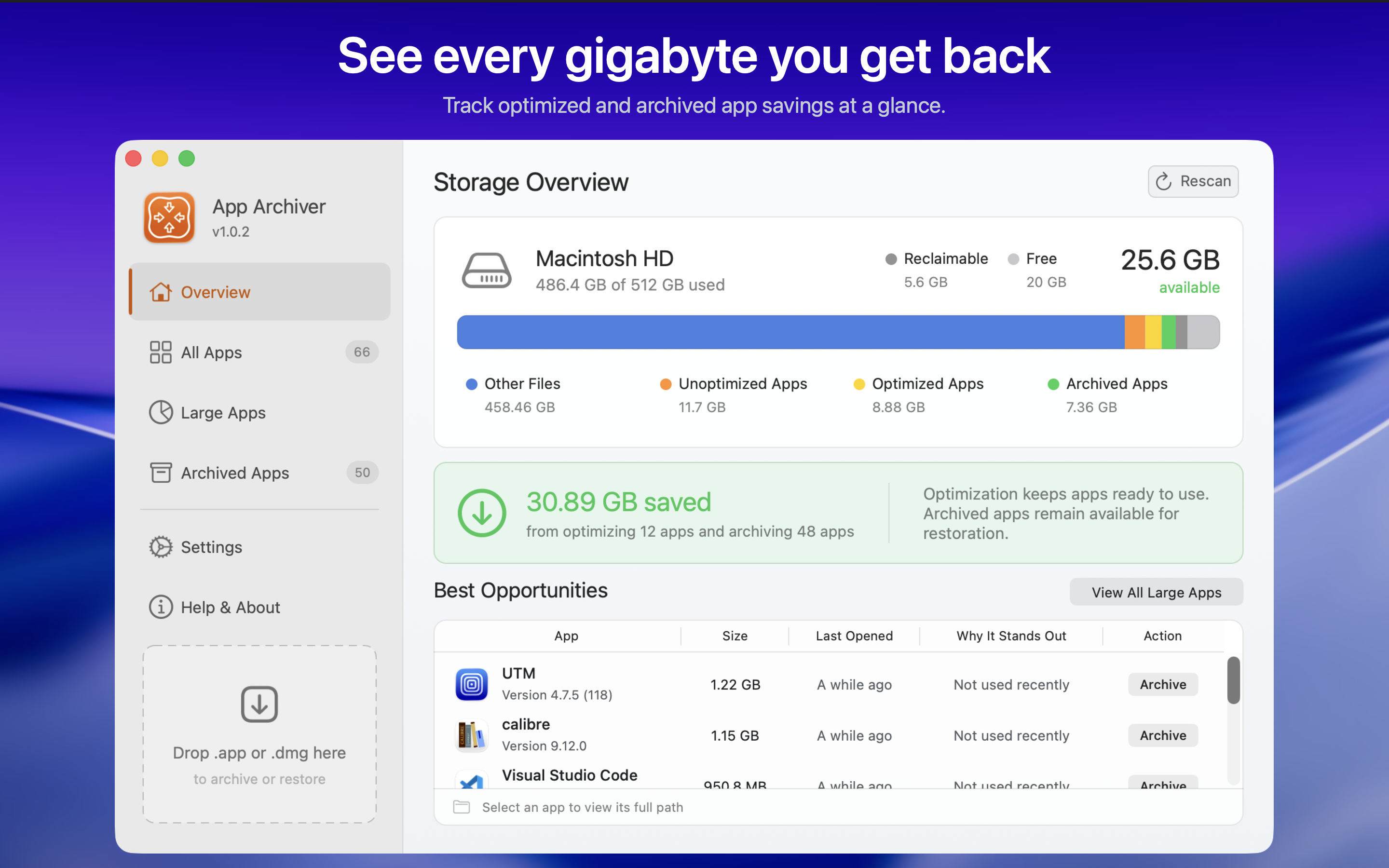
App Archiver scans your application folders, shows where storage is being used, and highlights large or rarely opened apps that offer worthwhile savings. Before changing an app, it estimates the result so you can choose the right approach.
- Optimize and keep using it with native macOS filesystem compression. The app remains installed, runnable, and available for updates.
- Archive it in place as a lightweight restorable app. It stays in its original location and remains visible in Applications, Spotlight, Raycast, Alfred, and other launchers. Open it to restore the full app.
- Create a verified ZIP or DMG backup in a local folder or on an external drive. Keep the installed app, or remove it only after verification succeeds.
The app also lets you search, filter, and sort installed, optimized, archived, running, and backed-up apps. Backup Storage supports multiple versions and remembers locations on removable drives.
App Archiver checks available disk space and works in private staging locations. It verifies app identity, executables, signatures, checksums, and restored contents before replacing an original app or accepting a backup. When an operation would not produce useful savings, the original app is left unchanged.
All app analysis, compression, archiving, backup, and restoration happen locally. The Mac app works without an Internet connection, requires no account, and has no analytics or tracking.
- macOS 12 or later
- Access to the application folders and backup locations you select
- The target app must be fully quit before it can be optimized, archived, or removed
System apps cannot be archived. An app must be restored before it can run or update. Updating an optimized app may replace its compressed files, after which it can be optimized again.
App Archiver includes every feature and works fully without the AppArchiverScript helper. Installing the helper does not unlock features or expand what App Archiver can do.
The helper is an optional convenience that automates macOS approval for the restorable archived app bundles created by App Archiver. It verifies that a target is one of these special archive bundles and cannot approve regular apps, other app bundles, files, or anything else.
Without the helper, you can use every App Archiver feature and manually approve a restorable archived app bundle when macOS asks. Installing the helper only automates that approval step.
Use the helper installation prompt inside App Archiver if you want this automation. It saves the executable script at the following location.
~/Library/Application Scripts/com.apparchiver.mac/AppArchiverScript
Keep the helper name and contents unchanged. App Archiver checks that the installed helper exactly matches its bundled copy and that it is executable. Reinstall or update the helper from the app when prompted so its version matches the installed app.
The helper command interface is an implementation detail intended for App Archiver. Running it directly is not needed for normal use.
AppArchiverScript is licensed under the MIT License. The MIT license applies to the helper published in this repository. It does not grant a license to the App Archiver application itself.
App Archiver is made by Ighor July.