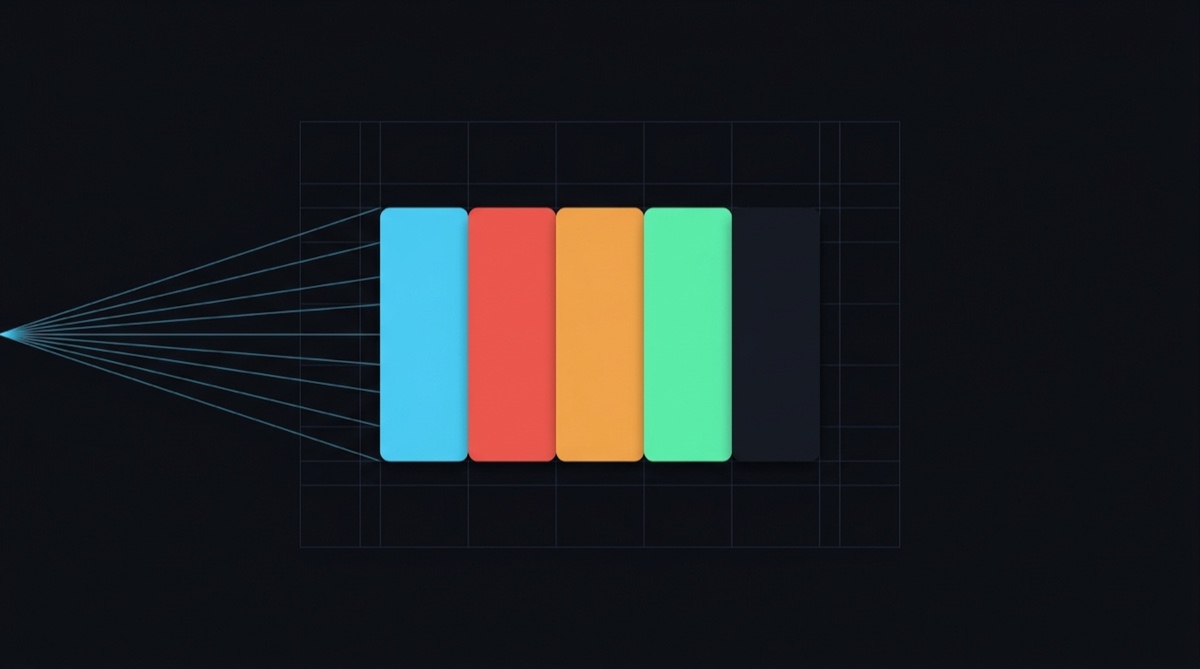
Give it a picture. Get the colours, and the code to use them.
Point it at a logo or a screenshot. It pulls out the colours that matter, works out which one is the brand and which is the text, checks the two can actually be read together, then writes the CSS.
npx palette-forge logo.pngThat's the whole thing. Nothing to install, no account, no upload. It runs on your machine.
New to this? → Getting started walks through it with no jargon at all. Hit an unfamiliar word? → Glossary.
OKLab k-means quantisation, WCAG 2.1 contrast scoring, OKLCH tonal ramps, and nine token formats, including a drop-in shadcn/ui theme. Runs in the browser, in Node, in a Worker, and from the command line.
npm install palette-forgeimport { extractPaletteFromImage, toShadcn } from "palette-forge";
const palette = await extractPaletteFromImage(file);
palette.swatches[0].hex; // "#4cc9f0"
palette.swatches[0].role; // "primary"
palette.swatches[0].share; // 0.34, so 34% of the image
toShadcn(palette); // a complete light + dark theme, AA-repairedPlenty of tools will pull five colours out of an image. That part is easy, and it isn't where your afternoon goes.
Your afternoon goes on everything after. Which of these five is the brand colour, and which is just the background of the screenshot? Is it readable on white? If not, what's the nearest version that is? What are the hover and border shades? Right, now do all of it again for dark mode.
That's the part this handles.
Three of the choices underneath are worth knowing about, because they're where colour extractors usually go wrong.
It clusters in OKLab, not RGB. Distance in RGB has very little to do with how eyes work, so tools that cluster there hand you back three blues you can't tell apart while quietly dropping the accent. Same k-means, different space, problem gone.
Clusters snap to a colour that's really in the image. Average a cluster and you can end
up with a colour that appears nowhere in the file. Drop a flat two-tone logo into most
extractors and you'll get #4ec7ee when the file plainly says #4cc9f0. Designers spot
that in about a second.
The same image always gives the same palette. k-means wants randomness, but a tool that answers differently on every run is one you can't cache, commit, or write a test against. The seed is fixed. Change it yourself when you want a second opinion.
Beyond that: colours come out named by role rather than by index, so the CSS says
--primary and not --color-3. Every possible pair gets a WCAG score, and when one fails,
ensureContrast() walks it to a passing colour without shifting its hue. Ramps are built in
OKLCH and gamut-mapped by lowering chroma, which is why the dark end of a blue ramp is still
blue rather than muddy purple.
It writes CSS, Tailwind v4, SCSS, TypeScript, JS, JSON, W3C DTCG, a shadcn/ui theme, or an SVG palette card.
The whole browser import is 11.6 KB gzipped before tree-shaking, with no runtime dependencies.
- Getting started, no jargon ← start here if any of the above lost you
- Glossary: every technical term, explained plainly
- Install
- Browser
- React
- Node
- CLI
- Token formats
- Contrast
- Tonal scales
- Themes
- API reference
- Determinism
npm install palette-forge
# pnpm add palette-forge · yarn add palette-forge · bun add palette-forge
Requires Node ≥ 20.11. Ships as ESM with TypeScript declarations.
Optional peer dependencies
| Package | Needed for |
|---|---|
react ≥ 18 |
the palette-forge/react hooks |
sharp ≥ 0.33 |
decoding WebP, AVIF, TIFF, GIF and HEIC in Node |
PNG and JPEG decode in Node with no native build step.
extractPaletteFromImage accepts a File, Blob, <img>, ImageBitmap, <canvas>,
OffscreenCanvas, or a URL string.
import { extractPaletteFromImage } from "palette-forge";

const palette = await extractPaletteFromImage(file, {
  colors: 6,
  downweightNeutrals: true,
});
Every swatch carries everything you need to render and reason about it:
{
  hex: "#4cc9f0",
  rgb: [76, 201, 240],
  hsl: [194, 85, 62],
  oklch: [0.782, 0.121, 222.5],
  share: 0.34,          // 34% coverage
  role: "primary",
  name: "primary",      // token-safe, unique within the palette
  luminance: 0.4903,    // WCAG relative luminance
  on: "#000000"         // the readable text colour for this background
}
Already have pixels? extractPalette is synchronous and pure. Hand it anything shaped
like ImageData:
import { extractPalette } from "palette-forge";

const ctx = canvas.getContext("2d");
const palette = extractPalette(ctx.getImageData(0, 0, canvas.width, canvas.height));
That makes it trivial to run inside a Web Worker:
// worker.ts
import { extractPalette } from "palette-forge";

self.onmessage = (event) => {
  self.postMessage(extractPalette(event.data, { colors: 8 }));
};A product screenshot is mostly white chrome, and white will win every cluster it's allowed to enter. Switch this on and greys, near-blacks and near-whites get demoted.
They're demoted rather than discarded. The interface really is mostly white, and a palette that pretends otherwise is lying about the design.
// 92% white background, 8% brand cyan:
extractPalette(image, { colors: 2 });
// → paper 92%, primary 8%

extractPalette(image, { colors: 2, downweightNeutrals: true });
// → primary 52%, paper 48% (the brand colour now leads)palette-forge/react is headless: hooks and state, no markup, no styles.
"use client";
import { usePalette, useDropzone } from "palette-forge/react";

export function Forge() {
  const { palette, load, preview, status, error, reset } = usePalette({ colors: 6 });
  const { rootProps, inputProps, isOver } = useDropzone({ onFile: load });

  return (
    <div {...rootProps} data-over={isOver}>
      <input {...inputProps} />
      {preview && <img src={preview} alt="" />}
      {status === "error" && <p role="alert">{error?.message}</p>}
      {palette?.swatches.map((s) => (
        <span key={s.hex} style={{ background: s.hex, color: s.on }}>
          {s.hex}
        </span>
      ))}
    </div>
  );
}
usePalette keeps the decoded pixels and the palette in separate state. Change colors
and it re-clusters in a millisecond or two, never touching the decoder. Drag a slider and
the palette keeps up.
useDropzone covers dragging, clicking to browse, the keyboard, and pasting. That last
listener sits on window rather than the drop target, since people hit ⌘V wherever their
cursor happens to be.
import { extractPaletteFromFile } from "palette-forge/node";
import { toShadcn } from "palette-forge";
import { writeFile } from "node:fs/promises";

const palette = await extractPaletteFromFile("./brand/logo.png", { colors: 6 });
await writeFile("app/globals.css", toShadcn(palette));| Function | |
|---|---|
extractPaletteFromFile(path, options?) |
read from disk |
extractPaletteFromBuffer(bytes, options?, hint?) |
bytes already in memory |
extractPaletteFromUrl(url, options?) |
fetch and extract |
decodeImage(bytes, hint?) |
decode only, returns { data, width, height } |
Format is identified from magic bytes, not the file extension, so a PNG named .jpg still
decodes.
npx palette-forge <image|url> [options]# Look at a palette in the terminal, in true colour
npx palette-forge logo.png
# Generate a shadcn/ui theme
npx palette-forge logo.png --format shadcn --out app/globals.css
# Tailwind v4 with full 50 to 950 ramps, straight from a URL
npx palette-forge https://example.com/hero.jpg -f tailwind -o theme.css
# Audit a screenshot's accessibility
npx palette-forge screenshot.png --colors 8 --neutrals --contrast
# Pipe it
cat logo.png | npx palette-forge - -f json brand.png 5 colours
██████ #F8F9FB paper 56.4% on black 19.93:1 AAA
██████ #0F121A ink 16.0% on white 18.72:1 AAA
██████ #9CA3AF neutral 12.7% on black 8.27:1 AAA
██████ #4CC9F0 primary 11.6% on black 10.92:1 AAA
██████ #F0554C accent 3.3% on black 6.11:1 AA
13,400 px sampled · 2 iterations · 2.56ms · oklab
| Flag | Default | |
|---|---|---|
-c, --colors <n> |
colours to extract, 1 to 24 | 6 |
-f, --format <name> |
css tailwind scss ts js json dtcg shadcn svg |
pretty print |
-o, --out <file> |
write to a file instead of stdout | |
-p, --prefix <name> |
prefix token names | |
--scales |
emit full 50 to 950 ramps | per-format |
--oklch |
emit oklch() instead of hex |
per-format |
--neutrals |
down-weight greys | off |
--seed <n> |
clustering seed | 24301 |
--space <name> |
oklab or lab |
oklab |
--max-dimension <n> |
sampling resolution | 160 |
--contrast |
print the WCAG contrast matrix | off |
Colour output respects NO_COLOR and switches off automatically when stdout is piped.
import { emit } from "palette-forge";

emit(palette, "css");                          // :root { --primary: #4cc9f0; … }
emit(palette, "css", { prefix: "brand" });     // --brand-primary
emit(palette, "tailwind");                     // @theme block, oklch, 50 to 950 ramps
emit(palette, "shadcn");                       // :root + .dark, contrast-repaired
emit(palette, "dtcg");                         // W3C Design Tokens JSON
emit(palette, "svg");                          // a shareable palette card
Named exports exist for each: toCSS, toTailwind, toSCSS, toTypeScript,
toJavaScript, toJSON, toDTCG, toShadcn, toSVG.
Options. prefix, scales, oklch, header, and theme (forwarded to
deriveTheme by the shadcn emitter). Each format keeps its own sensible defaults: Tailwind
emits oklch() ramps because that is what Tailwind v4 itself ships, plain CSS emits flat
hex.
Tailwind v4
@import "tailwindcss";

@theme {
  --color-primary-50: oklch(97.1% 0.02 220.9);
  --color-primary-300: oklch(78.2% 0.121 222.5);
  --color-primary-950: oklch(26.1% 0.048 222.6);
  --color-primary: oklch(78.2% 0.121 222.5);
}<div class="bg-primary-300 text-black">shadcn/ui
:root {
  --background: #ffffff;
  --foreground: #18272c;
  --primary: #0087a7;
  --primary-foreground: #000000;
  --muted: #ddedf3;
  --muted-foreground: #586d75;
  --border: #cadde4;
  --ring: #009abf;
  --radius: 0.625rem;
}

.dark { /* … */ }

@theme inline {
  --color-primary: var(--primary);
}
Every text/surface pair is contrast-checked and repaired before it is emitted, so the theme passes AA by construction rather than by luck.
W3C DTCG: reads into Style Dictionary, Tokens Studio and Figma Variables
{
  "color": {
    "primary": {
      "$type": "color",
      "$description": "Role: primary · 34.2% coverage",
      "300": { "$value": "#4cc9f0", "$type": "color" },
      "DEFAULT": { "$value": "#4cc9f0", "$type": "color" }
    }
  }
}import { contrast, evaluateContrast, contrastMatrix, ensureContrast } from "palette-forge";
contrast("#767676", "#ffffff"); // 4.54
evaluateContrast("#767676", "#ffffff");
// { ratio: 4.54, aaNormal: true, aaLarge: true, aaaNormal: false, level: "AA", … }
contrastMatrix(hexes, { limit: 20 }); // every pairing, ranked, darker as foregroundensureContrast is the one you will reach for most. It walks a colour's lightness until it
clears a target ratio, holding hue and easing chroma so the result still looks like the
colour you started with:
ensureContrast("#4cc9f0", "#ffffff");                  // "#0081a1", now 4.51:1
ensureContrast("#4cc9f0", "#ffffff", { target: 7 });   // "#00617a", 7.02:1
ensureContrast("#ffffff", "#ffffff", { direction: "lighter" }); // null, impossible
It returns null rather than a lie when the target genuinely cannot be reached in that
hue.
import { scale, neutralScale, harmony, rotateHue } from "palette-forge";

scale("#4cc9f0");
// { 50: "#e8f9ff", 100: "#d2f0fb", 200: "#b0e2f5", 300: "#4cc9f0",
//   400: "#3dafd2", 500: "#009abf", …, 950: "#002935" }
//
// #4cc9f0 lands at stop 300, which is where its lightness actually sits,
// and anchoring puts it there verbatim rather than forcing it to 500.

scale("#4cc9f0", { saturation: 0.5 });   // muted, editorial
scale("#4cc9f0", { hueShift: -8 });      // cools as it darkens, like pigment
neutralScale("#4cc9f0");                 // greys carrying a trace of the brand hue
harmony.complementary("#4cc9f0");        // also analogous, triadic, tetradic, split
The source colour is anchored by default, meaning it shows up untouched at whichever stop its lightness belongs to. Your brand colour is in the ramp, not approximated somewhere near it.
neutralScale deserves a word. Flat #808080 greys sitting next to a saturated brand
colour look dirty. Leave 2 to 4% of the brand's chroma in them and the whole set suddenly
looks designed instead of assembled.
import { deriveTheme } from "palette-forge";

const theme = deriveTheme(palette, {
  minContrast: 4.5,     // or 7 for AAA
  neutralTint: 0.03,
  destructiveHue: 27,
});

theme.light["--primary"];
theme.dark["--muted-foreground"];
theme.scales.primary[600];Extraction
extractPalette(source, options?) |
synchronous, pure; takes anything shaped like ImageData |
extractPaletteFromImage(input, options?) |
browser; File, Blob, <img>, ImageBitmap, canvas, URL |
toPixelSource(input, maxDimension?) |
rasterise without clustering |
canRasterise() |
whether this environment has a canvas |
DEFAULT_OPTIONS |
the resolved defaults |
ExtractOptions
| Option | Default | |
|---|---|---|
colors |
6 |
clusters to solve for, clamped 1 to 24 |
maxDimension |
160 |
sampling resolution; cost is ~quadratic |
space |
"oklab" |
or "lab" |
maxIterations |
24 |
Lloyd iterations; stops early on convergence |
seed |
0x5eed |
k-means++ seed |
downweightNeutrals |
false |
demote greys and near-black/white |
alphaThreshold |
125 |
alpha below this counts as transparent |
minShare |
0.004 |
drop clusters smaller than this |
Colour conversion
toHex · fromHex · isHex · toLinear · fromLinear · rgbToHsl · hslToRgb ·
rgbToLab · labToRgb · rgbToXyz · xyzToRgb · rgbToOklab · oklabToRgb ·
rgbToOklch · oklchToRgb · oklabToOklch · oklchToOklab · formatOklch ·
distanceSq · clamp255
Contrast
WCAG · contrast · relativeLuminance · evaluateContrast · contrastMatrix ·
bestTextColor · mostReadable · ensureContrast
Gamut & scales
inGamut · clipToGamut · oklchToRgbClipped · maxChroma · scale · neutralScale ·
rotateHue · harmony · nearestStop · TONE_STOPS
Roles, theme, formats, internals
assignRoles · nameSwatches · deriveTheme · emit · emitters · extensions ·
toCSS · toTailwind · toSCSS · toTypeScript · toJavaScript · toJSON · toDTCG ·
toShadcn · toSVG · samplePixels · kmeans · mulberry32
The same image and options always give the same palette. k-means++ does need randomness to pick its starting points, but if the answer shifts every time you drop the same logo, you can't diff it, cache it or test it. A small seeded PRNG supplies the randomness without the instability.
Pass a different seed when you want a different take on the same image:
extractPalette(image, { colors: 6, seed: 42 });Clustering runs over flat Float64Arrays, and repeated colours are folded into weighted
points first. For flat-colour art that turns tens of thousands of pixels into a few hundred
unique ones. The maths is unchanged; it's just an order of magnitude less of it.
At the default 160px sampling resolution, extraction takes 2 to 6 ms.
MIT