


A powerful network logger library with floating bubble UI for monitoring API calls in Flutter applications. Network Ninja provides real-time network request monitoring, detailed logging, and comprehensive debugging tools.
- 🔍 Floating Bubble UI - Easy access to network logs from anywhere in your app
- 📊 Real-time Monitoring - Track all API calls with automatic request/response matching
- 🔎 Search & Filter - Find specific requests by endpoint, method, or status
- 📋 Detailed Views - Comprehensive request and response information
- 📤 Export Options - Copy as cURL, JSON, or share logs
- ⚡ Performance Optimized - Fast animations suitable for high-frequency polling
- 🎨 Material Design - Beautiful UI that follows Flutter design guidelines
- 🔒 Privacy Focused - Automatic redaction of sensitive headers (Authorization, Cookies)
| Main Demo | Network Logs | Log Details |
|---|---|---|
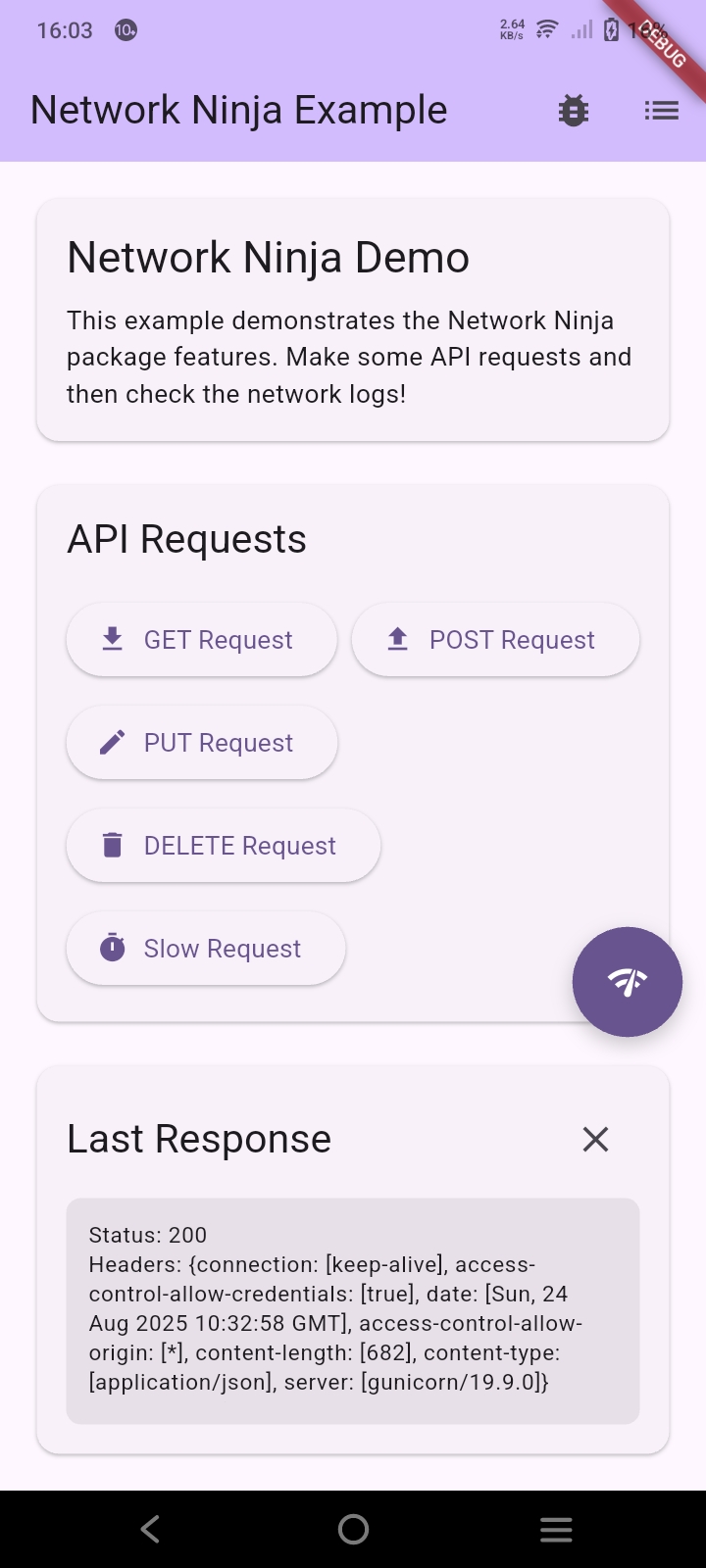 |
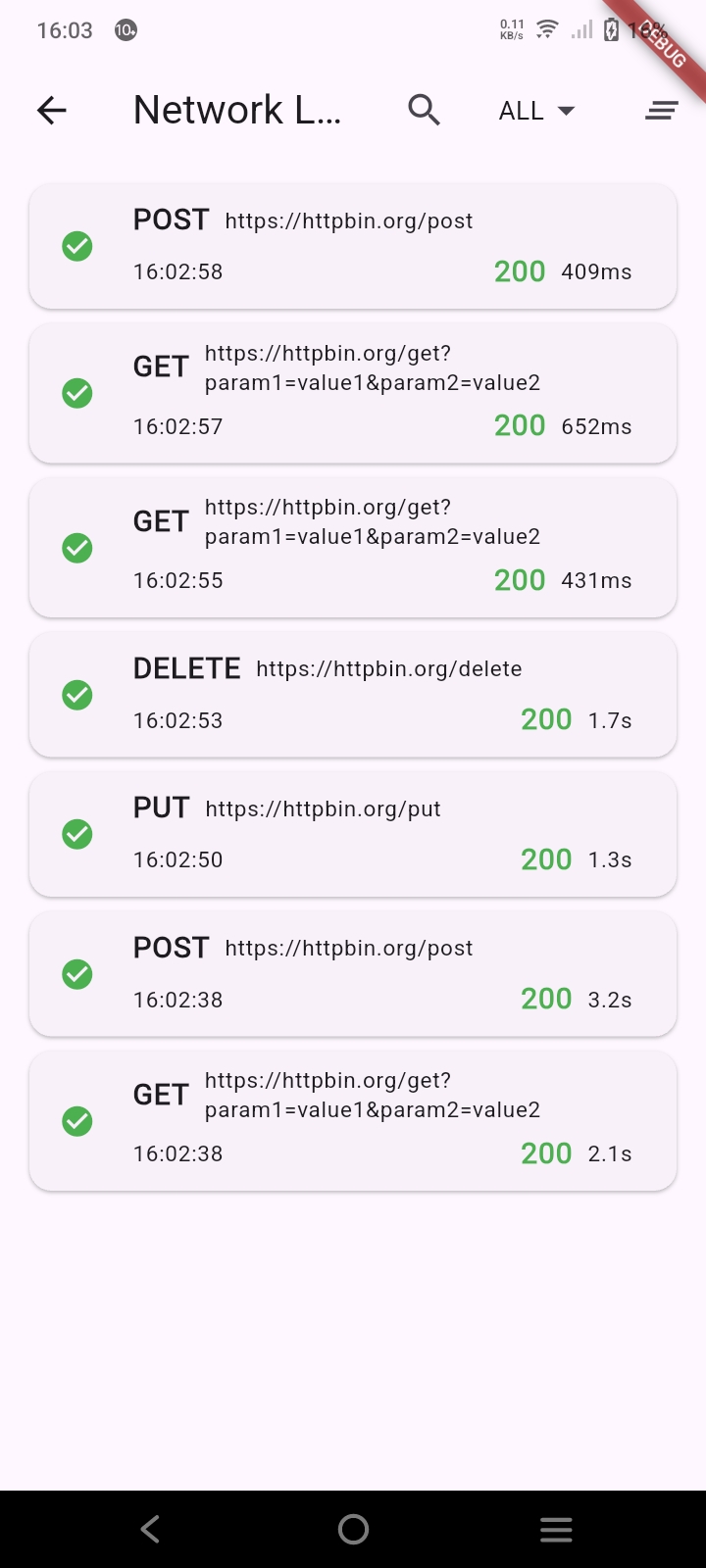 |
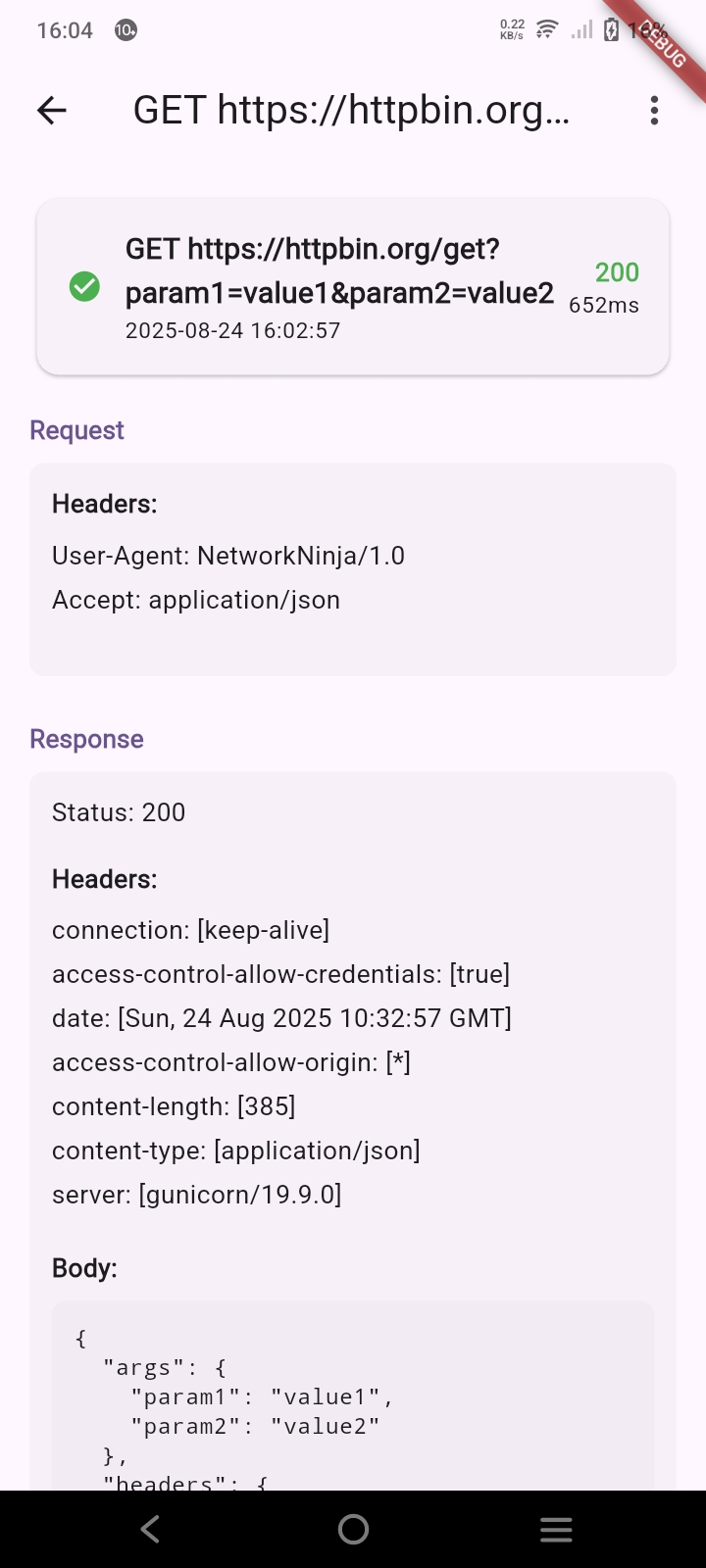 |
| Main interface with API buttons | Comprehensive logs with filters | Detailed request/response info |
Add network_ninja to your pubspec.yaml:
dependencies:
network_ninja: <latest version>- Add the interceptor to your Dio client:
import 'package:network_ninja/network_ninja.dart';
import 'package:dio/dio.dart';

final dio = Dio();
NetworkNinjaController.addInterceptor(dio);- Show the bubble UI:
// From any widget context
context.showNetworkNinjaBubble();- That's it! Network Ninja will automatically capture and display all network requests.
import 'package:network_ninja/network_ninja.dart';
import 'package:dio/dio.dart';

class ApiService {
  late final Dio _dio;

  ApiService() {
    _dio = Dio(BaseOptions(
      baseUrl: 'https://api.example.com',
      connectTimeout: const Duration(seconds: 5),
      receiveTimeout: const Duration(seconds: 3),
    ));

    // Add Network Ninja interceptor
    NetworkNinjaController.addInterceptor(_dio);
  }

  Future<void> fetchData() async {
    try {
      final response = await _dio.get('/users');
      // Your API logic here
    } catch (e) {
      // Error handling
    }
  }
}import 'package:flutter/material.dart';
import 'package:network_ninja/network_ninja.dart';
class MyHomePage extends StatelessWidget {
@override
Widget build(BuildContext context) {
return Scaffold(
appBar: AppBar(
title: const Text('My App'),
actions: [
IconButton(
icon: const Icon(Icons.bug_report),
onPressed: () => context.showNetworkNinjaBubble(),
),
],
),
body: const Center(
child: Text('Your app content'),
),
);
}
}import 'package:network_ninja/network_ninja.dart';
// Show logs screen directly
context.showNetworkLogs();
// Access the logs service
final logs = NetworkLogsService.instance.logs;The floating bubble provides quick access to network logs without interfering with your app's UI:
- Always on top - Stays visible across all screens
- Draggable - Users can move it to their preferred position
- Collapsible - Minimizes to save screen space
- Quick access - Tap to open the logs screen
Network Ninja automatically captures:
- Request details: Method, URL, headers, body
- Response data: Status code, headers, body, duration
- Error information: Error messages and stack traces
- Timing data: Request duration and timestamps
Find specific requests quickly:
- Search by endpoint - Find all requests to a specific URL
- Search by method - Filter by GET, POST, PUT, DELETE
- Search by status - Find all 404, 500, or pending requests
- Status filters - All, Success, Errors, Pending
- Real-time search - Results update as you type
Share or analyze network data:
- Copy as cURL - Ready-to-use cURL commands
- Copy URL - Just the request URL
- Copy Request/Response - Full request or response data
- Export as JSON - Complete log data in JSON format
- Share - Share log details via system share
- Open in Browser - Open URLs directly in browser
The main controller for Network Ninja functionality.
/// Add the Network Ninja interceptor to a Dio instance
static void addInterceptor(Dio dio)

/// Remove the Network Ninja interceptor from a Dio instance
static void removeInterceptor(Dio dio)Service for managing network logs.
/// Singleton instance
static NetworkLogsService get instance

/// Stream of all network logs
Stream<List<NetworkLog>> get logsStream

/// Current list of all logs
List<NetworkLog> get logs/// Clear all stored logs
void clearLogs()
/// Dispose the service (call when app terminates)
void dispose()Represents a single network request/response.
/// Unique identifier
String id

/// Request timestamp
DateTime timestamp

/// HTTP method (GET, POST, etc.)
String method

/// Request endpoint URL
String endpoint

/// Request body
String? requestBody

/// Request headers
Map<String, String>? requestHeaders

/// Response status code
int? responseStatus

/// Response body
String? responseBody

/// Response headers
Map<String, String>? responseHeaders

/// Request duration
Duration? duration

/// Error message (if any)
String? error/// Whether the request was successful
bool get isSuccess
/// Whether the request had an error
bool get hasError
/// Human-readable status text
String get statusText
/// Formatted duration text
String get durationTextNetwork Ninja uses your app's theme by default. You can customize the appearance by modifying your app's theme:
MaterialApp(
  theme: ThemeData(
    // Your custom theme
    colorScheme: ColorScheme.fromSeed(seedColor: Colors.blue),
  ),
  // ...
)Network Ninja automatically redacts sensitive information:
- Authorization headers - Automatically masked
- Cookie headers - Automatically masked
- Set-Cookie headers - Automatically masked
We welcome contributions! Please see our contributing guidelines for details.
- Clone the repository
- Install dependencies:
flutter pub get - Run tests:
flutter test - Run the example:
cd example && flutter run
This project is licensed under the MIT License - see the LICENSE file for details.
- Built with Flutter
- Network monitoring powered by Dio
- Icons from Material Design
- 📧 Email: bluematter.help@gmail.com
- 🐛 Issues: GitHub Issues
Made with ❤️ for the Flutter community