
Zap is designed to transmit a file as fast as possible over a high-latency, high-bandwidth network connection. e.g. California to New York, London to Sydney, or within datacenters. Zap is many times faster than conventional file transfer tools and aims to saturate the network connection, even over high-latency links. Zap has been tested with 100 Gbps NICs in both datacenter and WAN scenarios.
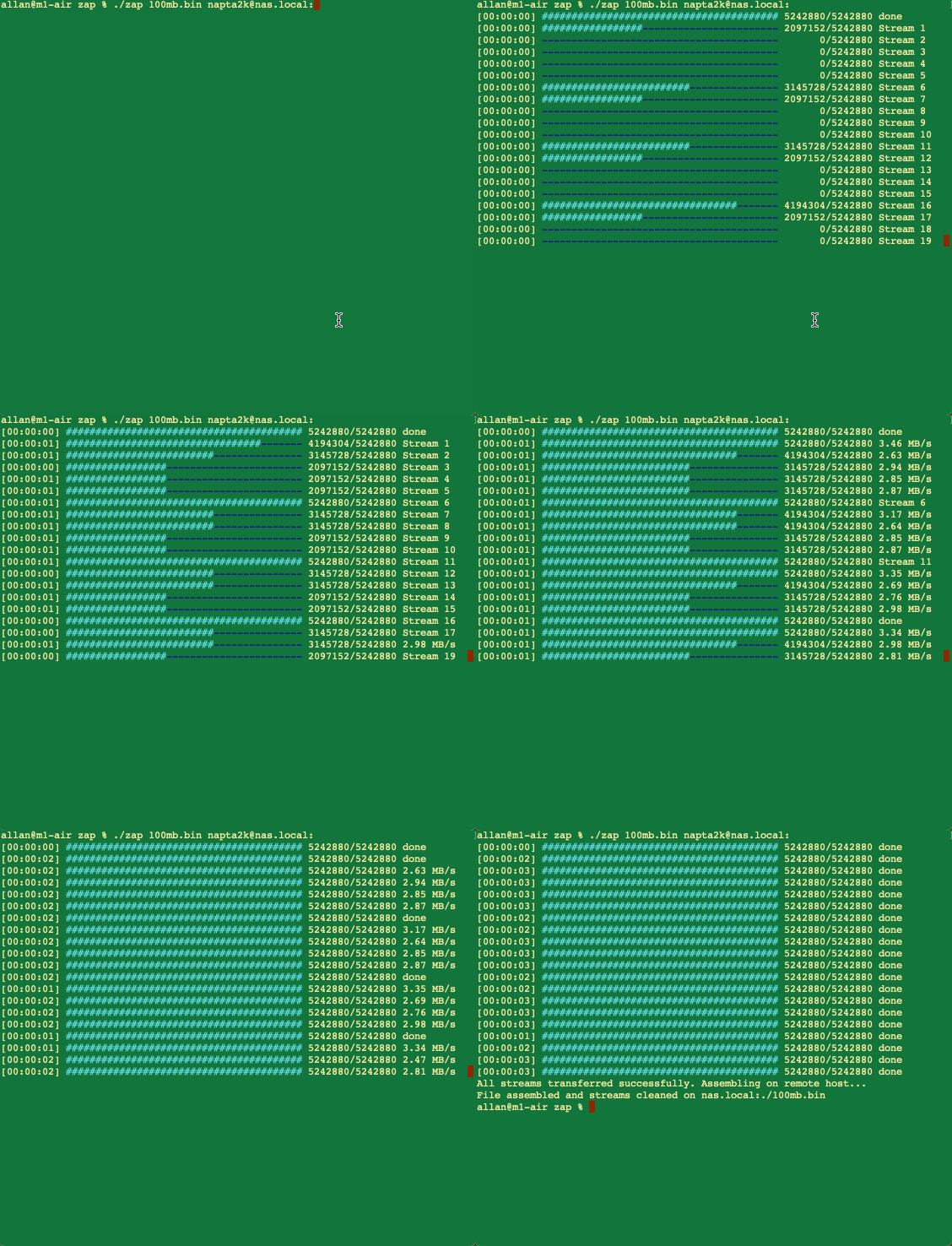
Pull a file from remote to local:
zap user@remote_host:/path/to/remote_file /local/destination/
Push a file from local to remote:
zap /local/path/to/file user@remote_host:/remote/destination/
Copy an entire directory recursively, in parallel:
zap -r /local/dir user@remote_host:/remote/destination/
Zap 1.1.0
Allan Clark. <napta2k@gmail.com>
Transfers files in parallel streams over SSH

USAGE:
    zap [OPTIONS] <source> <destination>

ARGS:
    <source>         Source file/dir (local path or user@host:remote_path)
    <destination>    Destination (local path or user@host:remote_path). Use remote /dev/null to
                     measure network throughput without remote disk writes

OPTIONS:
        --exclude <exclude>                Exclude files/dirs matching a glob pattern relative to the source root (repeatable)
    -h, --help                             Print help information
    -i, --ssh-key-path <ssh_key_path>      The SSH key path for authentication
    -j, --jobs <jobs>                      Number of parallel files to transfer at once [default: 4]
    -p, --port <port>                      SSH port [default: 22]
    -q, --quiet                            Suppress progress output
    -r, --recursive                        Recursively copy directories
    -R, --retries <retries>                The number of retries to attempt [default: 3]
    -s, --streams <streams>                The number of parallel streams per file [default: 20]
    -V, --version                          Print version information

EXAMPLES:
	Pull a file from remote to local:
		zap user@remote_host:/path/to/remote_file /local/destination/

	Push a file from local to remote:
		zap /local/path/to/file user@remote_host:/remote/destination/

	Recursively push a directory:
		zap -r /local/dir user@remote_host:/remote/dest/

	Recursively pull skipping logs:
		zap -r --exclude '*.log' user@remote_host:/remote/dir /local/dest/

	Measure pure network throughput by pushing to remote /dev/null:
		zap /local/path/to/file user@remote_host:/dev/null
Zap splits a single file in to 'streams' and copies all streams in parallel via SFTP. This creates multiple parallel network flows that increases the aggregate utilization of the network pipe. Zap does not use any additional disk space when creating streams, instead Zap reads the input file at different offsets in parallel and streams these offsets directly across the network via SFTP and writes them to a single (sparse) file at staggered off-sets.
For directory transfers (-r), Zap enumerates the tree, pre-creates the destination directories, and then transfers the files concurrently using a worker pool sized by -j/--jobs (each file still split into -s/--streams parallel network flows). Directory structure is preserved, empty directories are created, and --exclude filters files or directories by glob pattern. Symlinks are not followed and are skipped (a warning is printed with the count). Destination files receive default permissions and fresh mtimes; use rsync if you need fidelity mirroring.
Zap also takes advantage of the BBR TCP congestion control algorithm, which achieves higher overall TCP throughput over high latency links than CUBIC.
For the fastest possible throughput on high latency links, change the congestion control algorithm on the sender side to BBR: sysctl net.ipv4.tcp_congestion_control=bbr. Make this permanent through updating /etc/sysctl.conf.
You should consider Zap if your existing file transfer tool is not adequately utilizing your available network bandwidth.
Zap can copy whole directory trees in parallel with -r --recursive (see the -r, --exclude and -j/--jobs options above). Each file is still transferred using parallel streams, and multiple files are transferred concurrently across the worker pool to keep the network pipe saturated. Note that Zap does not perform per-file delta or incremental sync — for large, constantly changing trees where only changed blocks need re-sending, rclone or rsync is a better fit. You can also run multiple independent instances of zap as you would with any other command, e.g. xargs -P.
Yes. Take a look at the benchmarks below. A single file copy with scp might max out at 7 Gbps on a local 100G LAN, where as Zap can drive 40-80 Gbps throughput.
2 x NVIDIA DGX Sparks w / QSFP56 DAC
- scp: 4000 Mbps
- zap: 50000 Mbps (single interface)

LAN (10 Gbps)
- scp: 4000 Mbps
- zap: 8497 Mbps

LAN (100 Gbps)
- scp: 6800 Mbps
- zap: 40000 Mbps
- zap: 80000 Mbps (100 streams)

WAN (1 Gbps; tailscale; 70ms RTT)
- scp: 100-300 Mbps
- zap: 700-850 Mbps

WAN (40 Gbps)*
- zap: San Jose <> Tokyo: 3000 Mbps
- zap: San Jose <> Tokyo: 4000 Mbps (50 streams)
- zap: San Jose <> Tokyo: 12000 Mbps (100 streams)
*Note: 40Gbps San Jose testing instances are 40Gbps network connections but unknown bottlenecks between datacenters. Also maxed out disk bandwidth and heavy SSH CPU contention at these speeds.
Zap has been tested On Debian/Ubuntu/EL Linux and MacOS. It will possibly work on Windows, but requires SSH and a shell environment.
- Install rust
cd zap && cargo build --release