A lightweight native C++ engine for 2D and 3D games, with a visual editor and Lua scripting.
Your game. Your source. Your build.
Download · Documentation · Releases · Discord
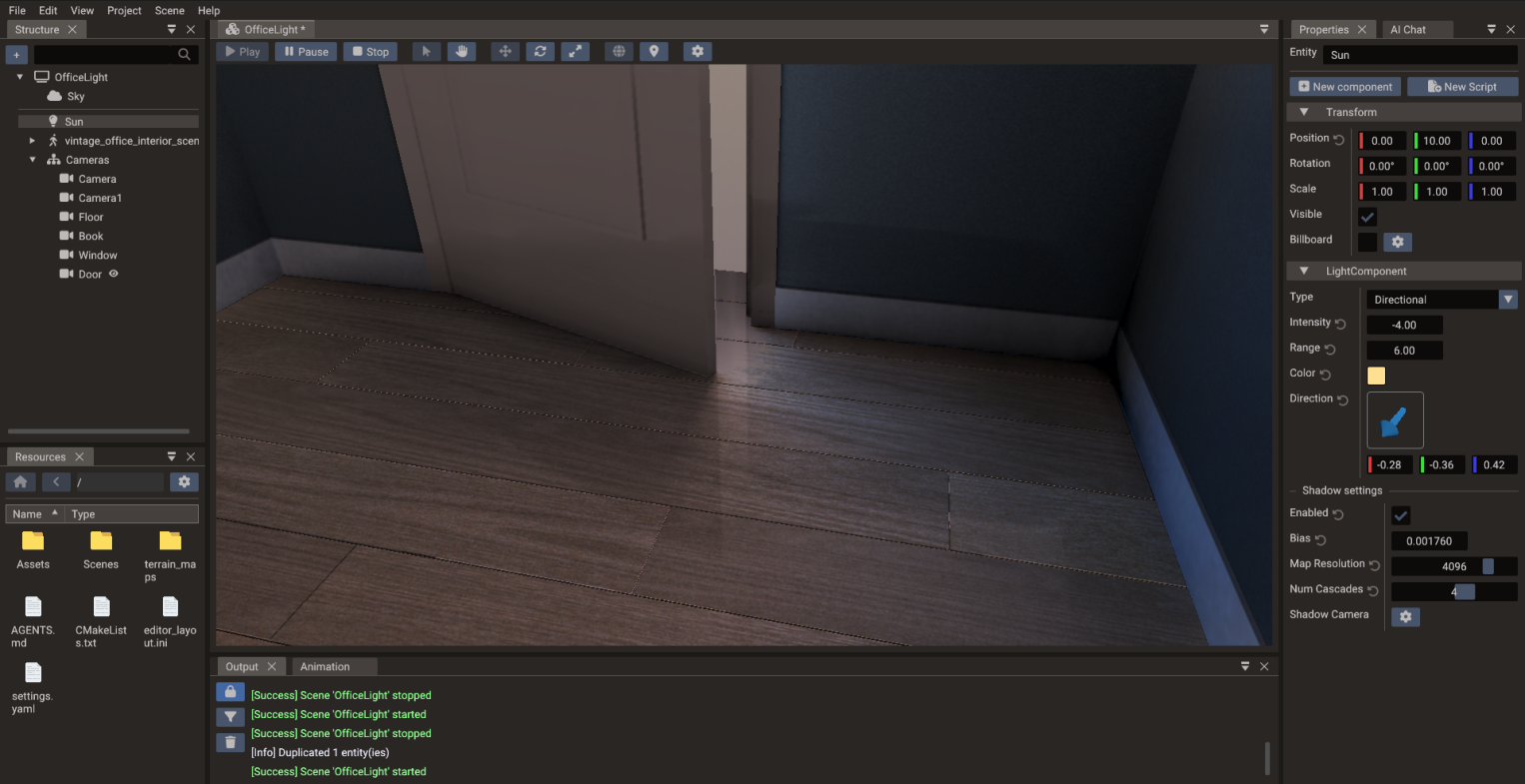



Doriax is for developers who want a smaller, native, code-transparent engine without giving up a visual editor. It combines scene authoring, scripting, shader tooling, builds, and exports in one open-source workflow.
- Lightweight — a lean, data-oriented runtime that keeps abstractions and engine overhead under control
- Native C++ — native platform and graphics backends, with C++ available throughout the stack
- Lua and C++ together — prototype quickly in Lua, write native gameplay code in C++, or mix both
- Visual workflow — edit 2D, 3D, and UI scenes with a hierarchy, inspector, resources, animation timeline, and play mode
- ECS and data-oriented — shared 2D/3D runtime designed around cache-friendly component data
- Open and hackable — MIT-licensed engine code and readable exported projects, with no closed build pipeline
- Cross-platform — target Windows, Linux, macOS, Android, iOS, and HTML5
Source Code export produces a standalone native CMake project—not an opaque package or a build that depends on a closed service. The project contains the generated C++ scene code, your Lua and C++ scripts, assets, platform backends, compiled shaders, and the engine source it needs.
The exported project is yours: inspect the result, add native integrations, change the engine, and compile the game yourself outside the editor with standard native toolchains.
When you want a finished artifact instead, use Desktop export to build a ready-to-run native binary for the current computer, or Web export to build HTML and WebAssembly with Emscripten.
- Build 2D and 3D scenes with sprites, tilemaps, models, cameras, lights, and reusable entities
- Edit component properties, project resources, animations, bones, and terrain without leaving the editor
- Write Lua and C++ in the integrated code editor with engine API completion
- Fork the built-in Mesh, UI, Points, Lines, and Sky shaders, plus custom shaders for ordered post-process passes, with live viewport recompilation
- Run the game in play mode, inspect build output, and export scenes, assets, scripts, engine files, and compiled shaders
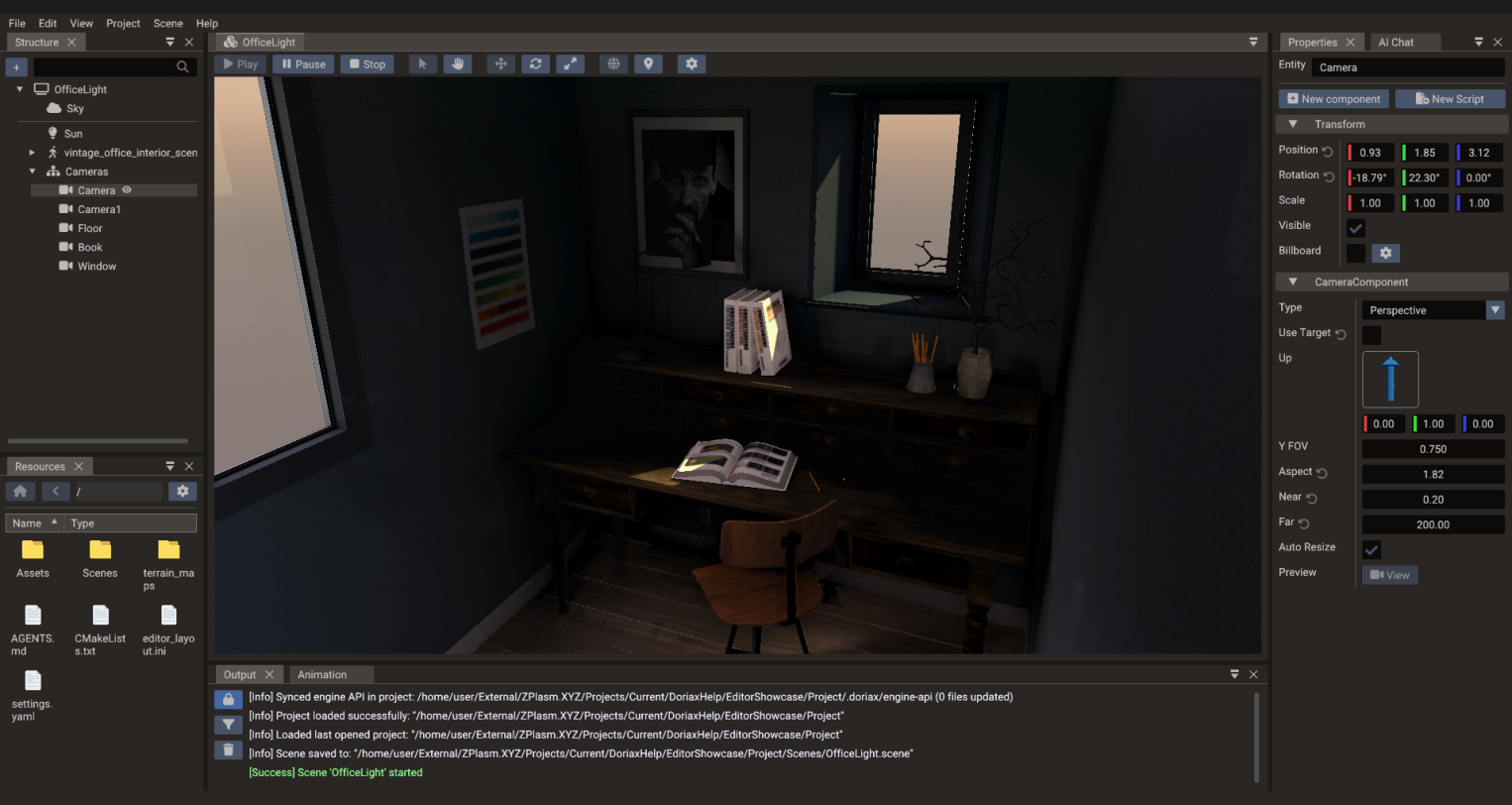
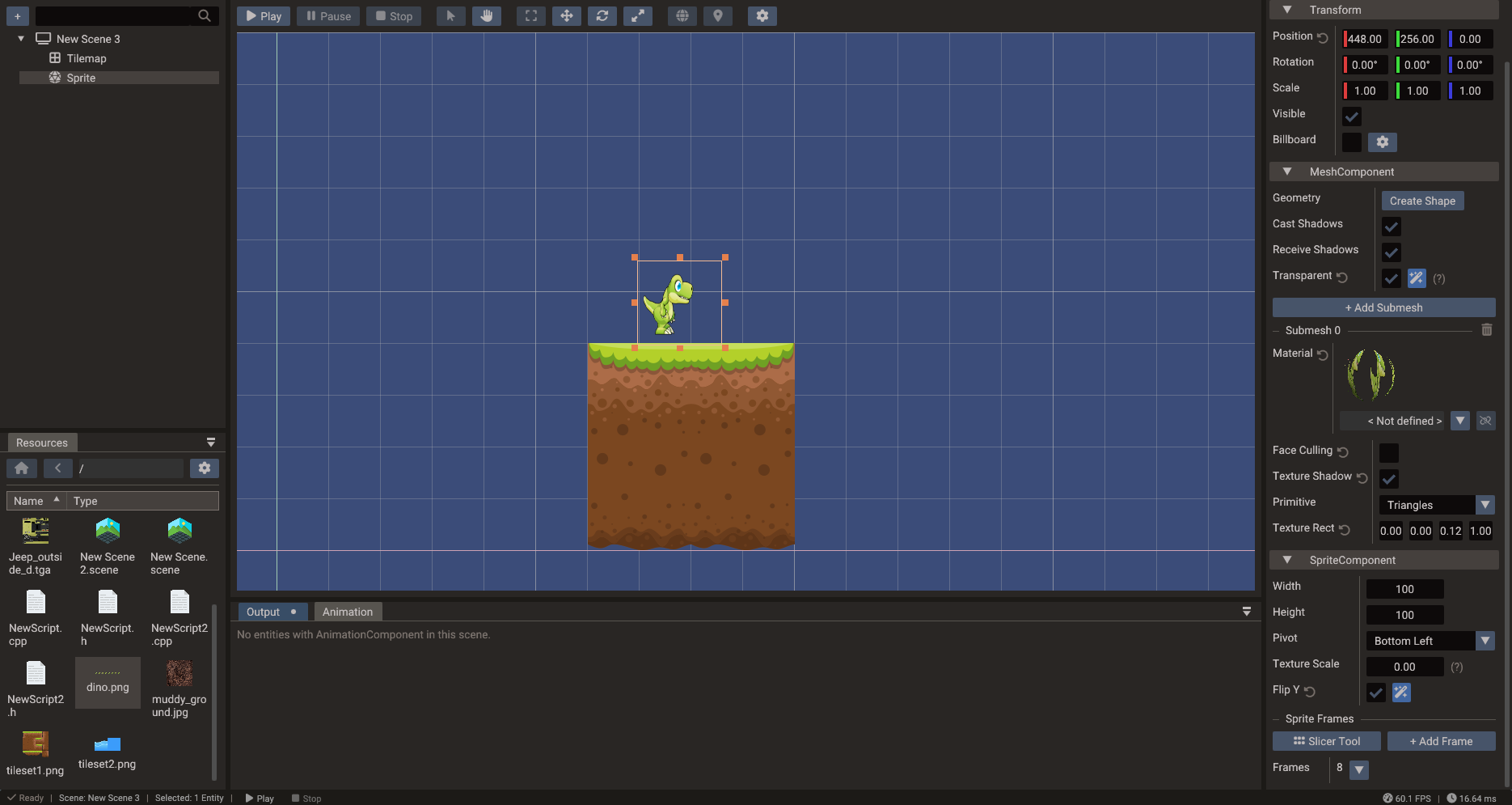
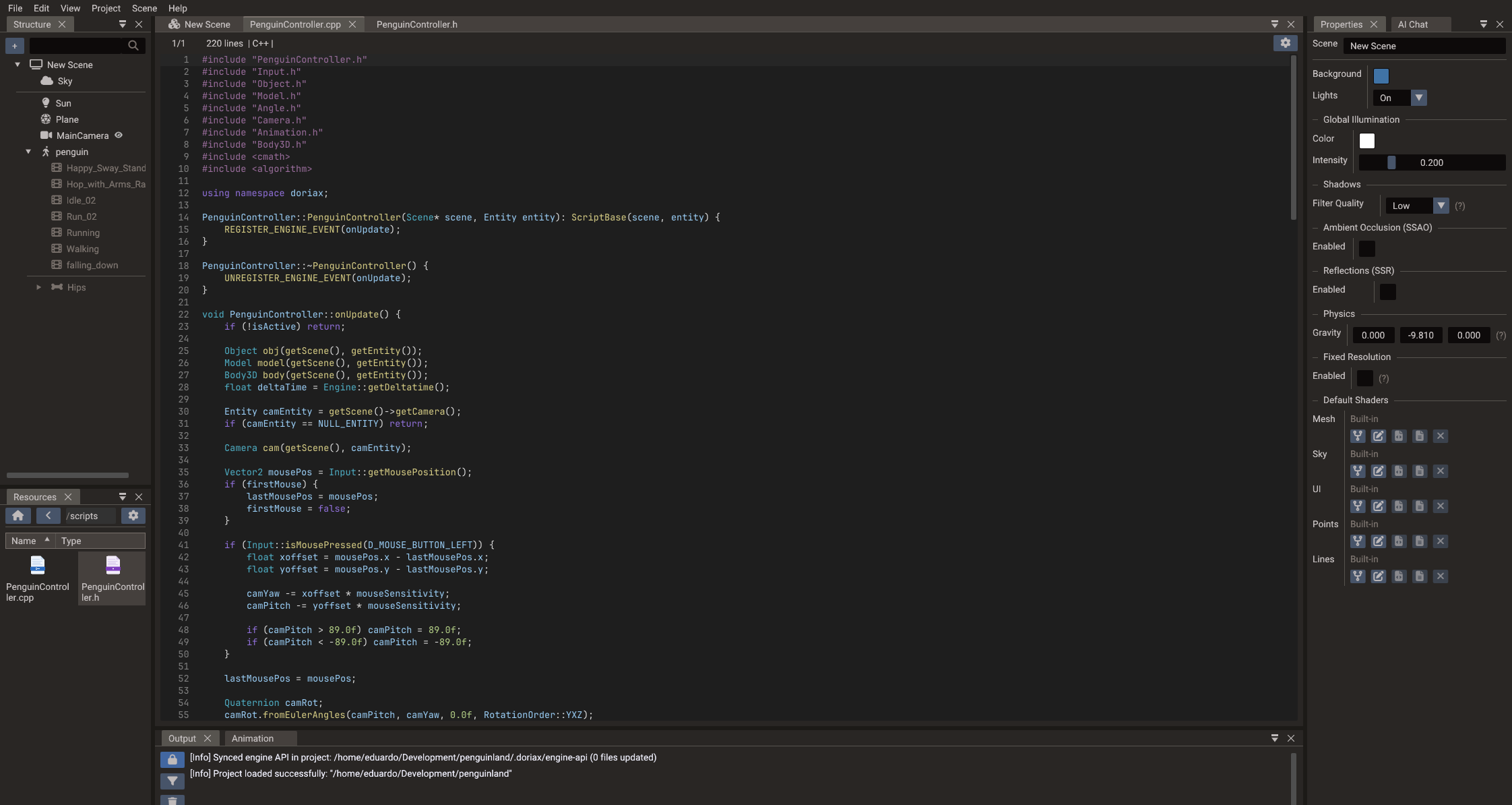
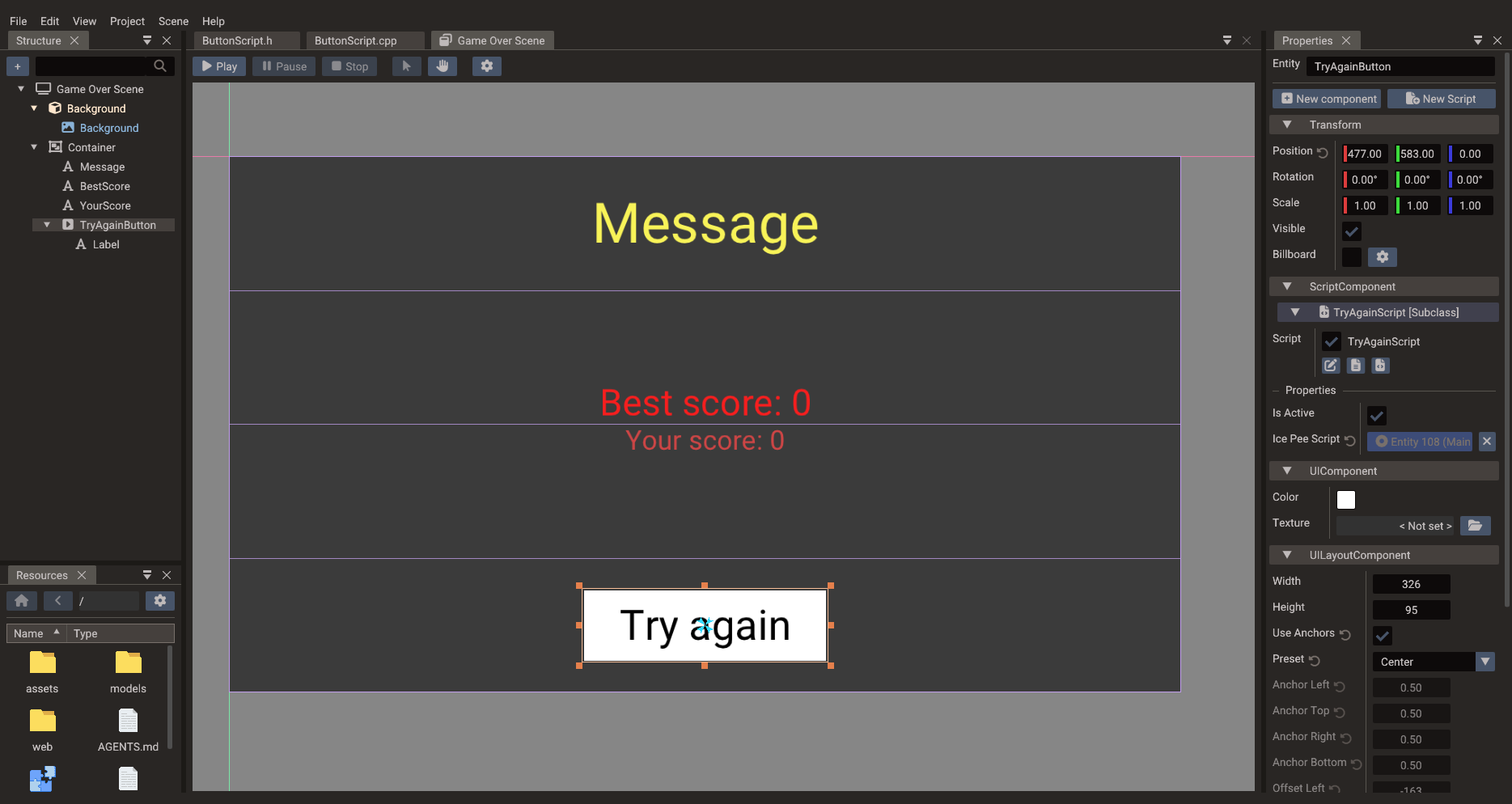
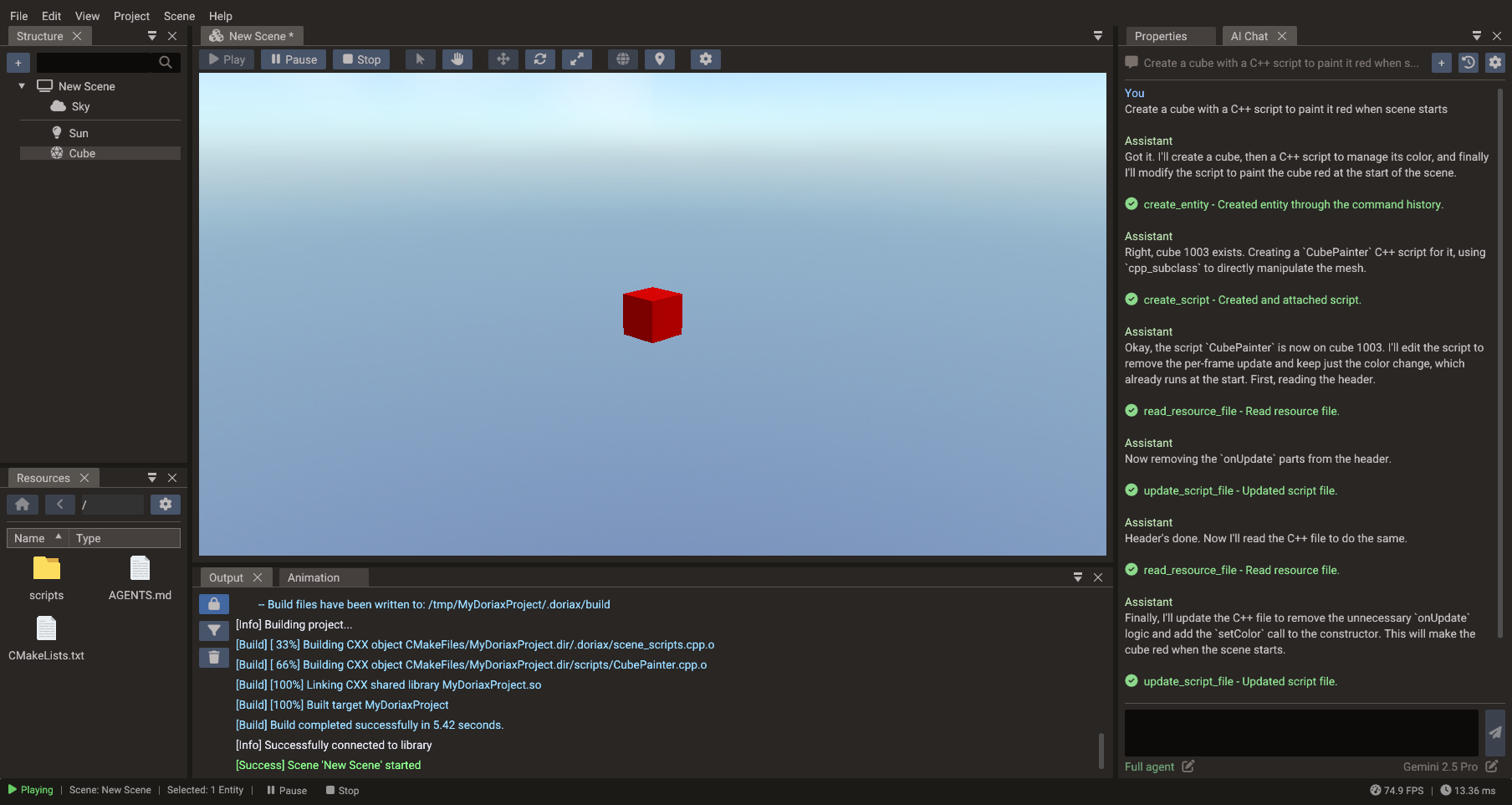
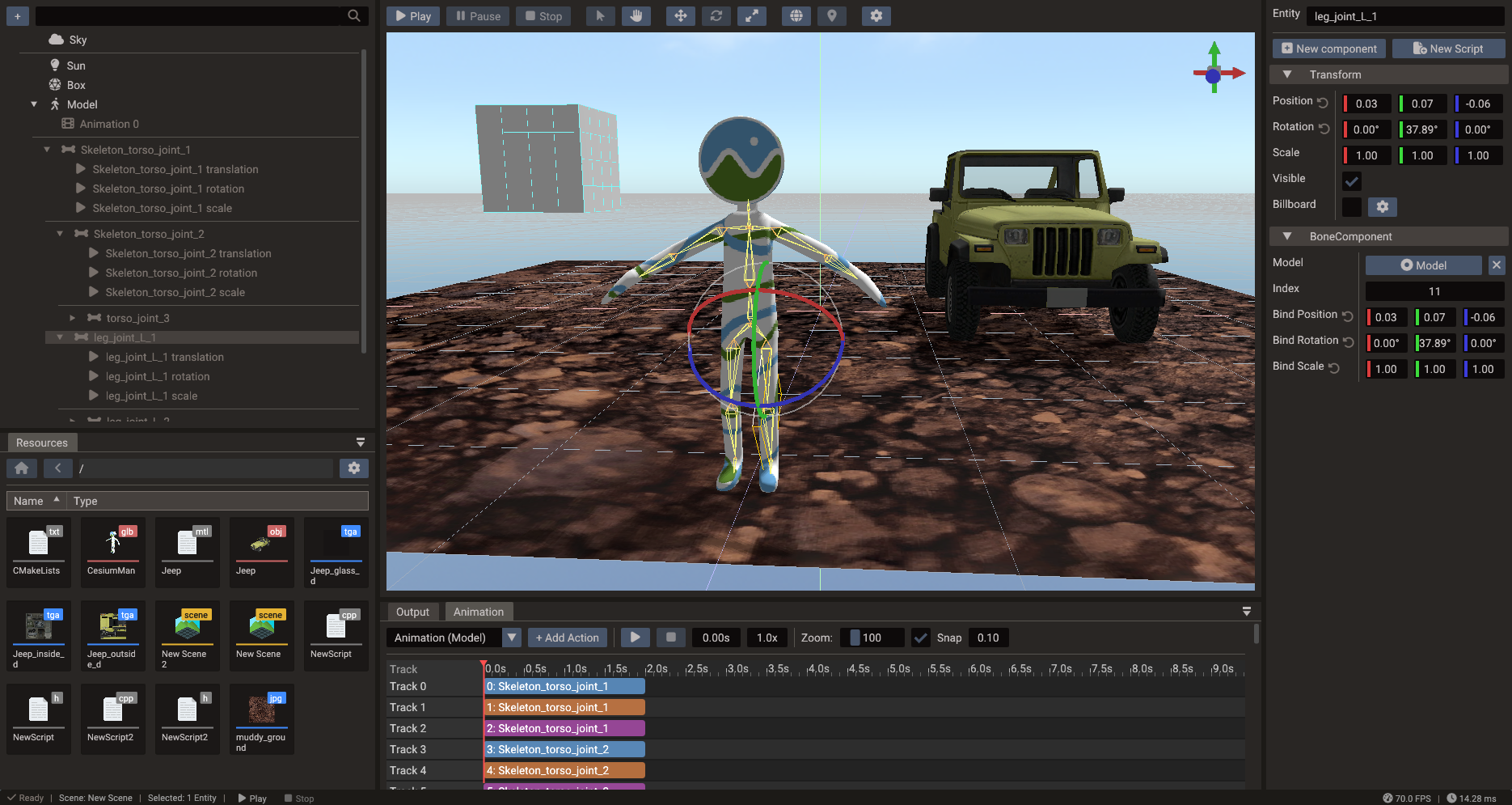
The built-in assistant is an agent inside the editor: it can inspect the current project, create or update entities, write Lua and C++ scripts, and invoke builds. Preview-then-approve, auto-run-read-only, and full-agent modes let you choose how much control it has.
Doriax supports OpenAI, Anthropic, Gemini, DeepSeek, and OpenAI-compatible endpoints. The assistant is optional and requires an API key for the provider you select; Doriax does not bundle an AI subscription.
- Shared ECS runtime for 2D and 3D scenes, with scene layers and serialization
- Sprites, tilemaps, and polygons, plus 2D lights, normal maps, and occluder shadows
- GLTF and OBJ models with skeletal animation, morph targets, and mesh instancing
- PBR materials with dynamic lights and cascaded shadows, sky-driven IBL, SSAO, fog, and planar mirrors
- Keyframe tracks, runtime actions with easing, crossfade blending, and sprite-sheet animation
- Particle systems and heightmap terrain with clipmap LOD and sculpting tools
- UI toolkit with anchors, containers, text, images, buttons, scrollbars, and other widgets
- Integrated Box2D and Jolt Physics support for 2D/3D bodies, shapes, and joints
- Spatial 3D audio, texture and shader pools, and multithreaded asynchronous resource loading
| Area | Support |
|---|---|
| Editor | Windows, Linux, macOS |
| Export targets | Windows, Linux, macOS, Android, iOS, HTML5 |
| Rendering backends | OpenGL/OpenGL ES, Vulkan, Metal, Direct3D 11 |
| Scripting | Lua, C++ |
Backend availability depends on the target platform. OpenGL is the default editor backend on Windows and Linux, while macOS uses Metal; Vulkan can be selected on Windows or Linux at configure time.
Download the latest tagged release from the Doriax website or the GitHub releases page, then follow Your First Project to create a scene, attach a script, and run it in the editor.
Important
Tagged release: recommended for projects. main build: the newest development version, which may contain regressions, incomplete work, or breaking changes.
All platforms require:
- A C++17 compiler: MSVC, GCC, or Clang
- CMake 3.27 or newer (required by the bundled shader compiler)
- Python 3
Clone the repository before following the instructions for your platform:
git clone https://github.com/doriaxengine/doriax.git
cd doriaxUbuntu 26.04 includes a recent enough CMake in its official repositories, so no third-party package source is required:
sudo apt-get update
sudo apt-get install -y --no-install-recommends \
  build-essential cmake git ninja-build pkg-config python3 \
  libx11-dev libxcursor-dev libxi-dev libxrandr-dev \
  libgl1-mesa-dev libwayland-dev wayland-protocols \
  libdbus-1-dev libcurl4-openssl-dev

cmake -S . -B build -G Ninja -DCMAKE_BUILD_TYPE=Release
cmake --build build --target doriax-editor
./build/doriax-editor
To create a redistributable install tree under dist/:
cmake --install build --prefix distInstall the Xcode Command Line Tools, CMake, and Ninja:
xcode-select --install
brew install cmake ninja

cmake -S . -B build -G Ninja -DCMAKE_BUILD_TYPE=Release
cmake --build build --target doriax-editor
open build/Doriax.app
To create a redistributable app under dist/bin/:
cmake --install build --prefix distInstall Python 3 and Visual Studio 2022 or newer with the Desktop development with C++ workload and C++ CMake tools for Windows component. Run these commands from a Developer PowerShell or Developer Command Prompt:
cmake -S . -B build -G "Visual Studio 17 2022" -A x64
cmake --build build --config Release --target doriax-editor doriax-editor-cmd
build\Release\doriax-editor.exe
If you use Visual Studio 2026, replace the generator with "Visual Studio 18 2026". The explicit doriax-editor-cmd target is required because the console executable is excluded from the default build.
To install the editor, CLI executable, runtime library, and engine files under dist/bin/:
cmake --install build --prefix dist --config ReleaseThe editor defaults to OpenGL on Windows and Linux and to Metal on macOS. To use Vulkan on Windows or Linux, install the Vulkan SDK and add -DGRAPHIC_BACKEND=vulkan to that platform's configure command. A separate build directory lets you keep both backends configured:
cmake -S . -B build-vulkan -G Ninja \
  -DCMAKE_BUILD_TYPE=Release \
  -DGRAPHIC_BACKEND=vulkan
cmake --build build-vulkan --target doriax-editor
The example above uses the Linux Ninja toolchain. On Windows, add -DGRAPHIC_BACKEND=vulkan to the Visual Studio configure command instead.
The editor executable also exposes automation commands for project export and standalone shader generation:
doriax-editor export --help
doriax-editor shaders --help
Windows release packages use doriax-editor-cmd.exe for console automation; the Windows build instructions above create it alongside the GUI editor.
These small projects demonstrate real Doriax builds running on the web. Play them, then inspect the source:
editor/— desktop editor, AI assistant, project tools, build orchestration, and export flowengine/— ECS runtime, platform layers, rendering, scripting, and project templatesshadercompiler/— shader compilation and cross-platform translationlibs/— bundled third-party dependencies
Issues and pull requests are welcome. For substantial changes, start with an issue or discuss the proposal with the community on Discord.
Doriax Engine is the next phase of Supernova Engine. Version 0.5.5 was the final release under the previous name, and 0.6 is the first Doriax release. Some internal folders and older external references may still use the Supernova name while the transition continues.
Doriax Engine is available under the MIT License and can be used in personal and commercial projects. Bundled third-party libraries retain their respective licenses.