A native Android fitness and sustainable-mobility tracker that records activities, counts steps, monitors goals and turns everyday movement into clear personal insights.



The video introduces GreenFit through an English presentation of the project slides, followed by a complete demonstration of the application.
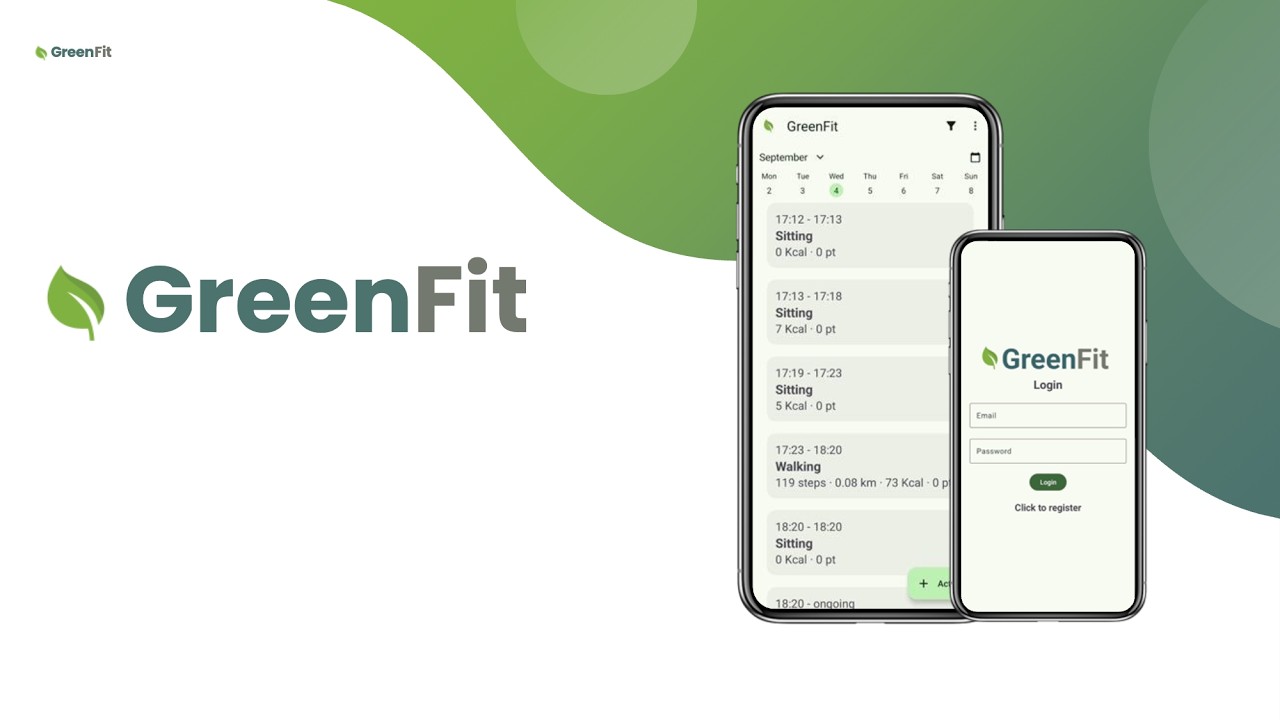
Watch the presentation and demo on YouTube
GreenFit is an Android application for logging, recognising and reviewing daily activities. It combines device sensors with the Google Play services Activity Recognition API to capture movement, while also allowing users to add activities manually. A local Room database stores user profiles and activity history; Firebase Authentication manages sign-in and registration.
The project brings together two connected ideas:
- Green: encourage sustainable travel choices such as walking, cycling and public transport.
- Fit: promote an active lifestyle by tracking physical activity and reminding users about their personal goals.
GreenFit was developed as an academic mobile-development project for the BSc programme in Informatica per il Management at the University of Bologna. The original project scope targets devices running Android 12 through Android 14.
- Account access: email-and-password registration and sign-in with Firebase Authentication.
- Automatic activity recognition: foreground service based on Google Play services activity-transition updates.
- Step tracking: uses the device step-counter sensor for walking and running, with estimated distance and calories.
- Manual activity logging: record activities including cycling, stationary activities and vehicle journeys, with duration and optional notes.
- Personalised estimates: calculates calories from activity MET values, user weight and duration.
- Daily activity timeline: browse records by date and filter them by activity category.
- Goals and statistics: set daily step and calorie goals, inspect progress, and view a monthly activity-duration chart.
- Sustainable-mobility balance: assigns points to activity and travel types to visualise a personal balance.
- Reminders: schedules notification reminders through Android's alarm APIs.
The background recognition service listens for transitions between STILL, WALKING, RUNNING, ON_BICYCLE and IN_VEHICLE. Walking and running additionally activate the step-counter service, which estimates distance from the user's height and calculates calories from activity duration and weight.
GreenFit uses the following formulas:
Calories burned = MET × weight in kg × duration in hours
Activity points = floor((duration in minutes / 10) × activity score)
| Activity | MET value |
|---|---|
| Still / Sitting | 1.3 |
| Walking | 4.0 |
| Running | 9.0 |
| Sleeping | 0.95 |
| Cycling / On bicycle | 6.8 |
| In vehicle | 1.3 |
| Activity or transport type | Score per 10 minutes |
|---|---|
| Walking | +4 |
| Running, cycling | +8 |
| Car, truck, motorcycle, generic in-vehicle activity | −8 |
| Van | −4 |
| Plane, boat | −6 |
| Bus, train | +2 |
| Sleeping, still | 0 |
These values support the application's gamified sustainability balance; they are not environmental-impact measurements.
- Reliable periodic reminders: goal notifications are scheduled for 09:00 and 18:00 with
AlarmManager.setExactAndAllowWhileIdle(), allowing reminders to run even while the device is idle. - Recovery after a reboot: a
BOOT_COMPLETEDbroadcast is handled to close any interrupted activity record, restore reminders and restart activity recognition. - Continuous activity history: automatic recognition remains active in the background except while the user is recording a manual activity. Exit events, logout and device restarts are handled so the latest database record can be completed instead of remaining open.
- Periods without movement: the
STILLactivity represents inactive intervals, keeping the timeline continuous when no physical movement is detected.
The project follows a pragmatic Android architecture built around Activities, ViewModels and a repository layer:
UI Activities & XML layouts
        ↓
ViewModels
        ↓
GreenFitRepository
        ↓
Room database                 Firebase Authentication
users + activity records      account sign-in / registration
Background services handle activity-transition recognition, step counting and the manual-activity chronometer. The resulting data is persisted locally and exposed to the UI through observable data flows.
- Language: Kotlin
- Platform: Android SDK (min SDK 31, target/compile SDK 34)
- Local persistence: Room
- Authentication: Firebase Authentication
- Device and Google APIs: Android step-counter sensor, foreground services, AlarmManager, Google Play services Activity Recognition
- UI: Android Views/XML, Material Components, RecyclerView, ViewPager2, Collapsible Calendar View
- Visualisation: MPAndroidChart
- Permissions: EasyPermissions
- Concurrency: Kotlin coroutines, LiveData and StateFlow
- Android Studio with an Android SDK compatible with API 34
- A physical Android device running Android 12–14 with a step-counter sensor for the full tracking experience
- A Firebase project with Email/Password authentication enabled and an Android app registered as
com.example.greenfit
-
Clone the repository and open it in Android Studio.
git clone https://github.com/esthy13/GreenFit.git
-
If you are using your own Firebase project, replace
app/google-services.jsonwith the configuration file for your Firebase Android app and enable Email/Password in Firebase Authentication. -
Sync the Gradle project, select a compatible device, then run the
appconfiguration. -
Grant the requested activity-recognition, notification and exact-alarm permissions. Sensor-based step tracking requires suitable physical hardware; manual logging can still be explored where sensor data is unavailable.
.
├── app/
│   ├── src/main/java/com/example/greenfit/
│   │   ├── activityRecognition/  # Google activity-transition service
│   │   ├── stepCounter/          # Sensor-based tracking service
│   │   ├── manualActivity/       # Chronometer service
│   │   ├── model/                # Room entities, DAOs and database
│   │   └── *.kt                  # UI, ViewModels and repository
│   └── src/main/res/             # XML layouts, themes and resources
├── Documentazione/GIULIANO.pdf   # Project documentation (Italian)
└── gradle/                       # Gradle wrapper and version catalog
Calorie, distance and mobility-point values are application estimates intended for personal tracking. They are not medical measurements and should not be used for clinical or safety decisions.
The activity-recognition and step-tracking features depend on Android permissions, Google Play services and device hardware support.