DoomConsole is a JaszczurHAL firmware port of Doom for RP2040 and RP2350 boards. It is based on Graham Sanderson's kilograham/rp2040-doom, which in turn is derived from Chocolate Doom.
This repository is no longer a stock rp2040-doom tree. The current active
port replaces the original application-specific VGA, I2S, and TinyUSB platform
layer with the JaszczurHAL application model, TFT output, and HAL-backed
input, audio, and storage glue. Firmware builds through JaszczurHAL's native
RP dispatcher and the official Pico SDK.
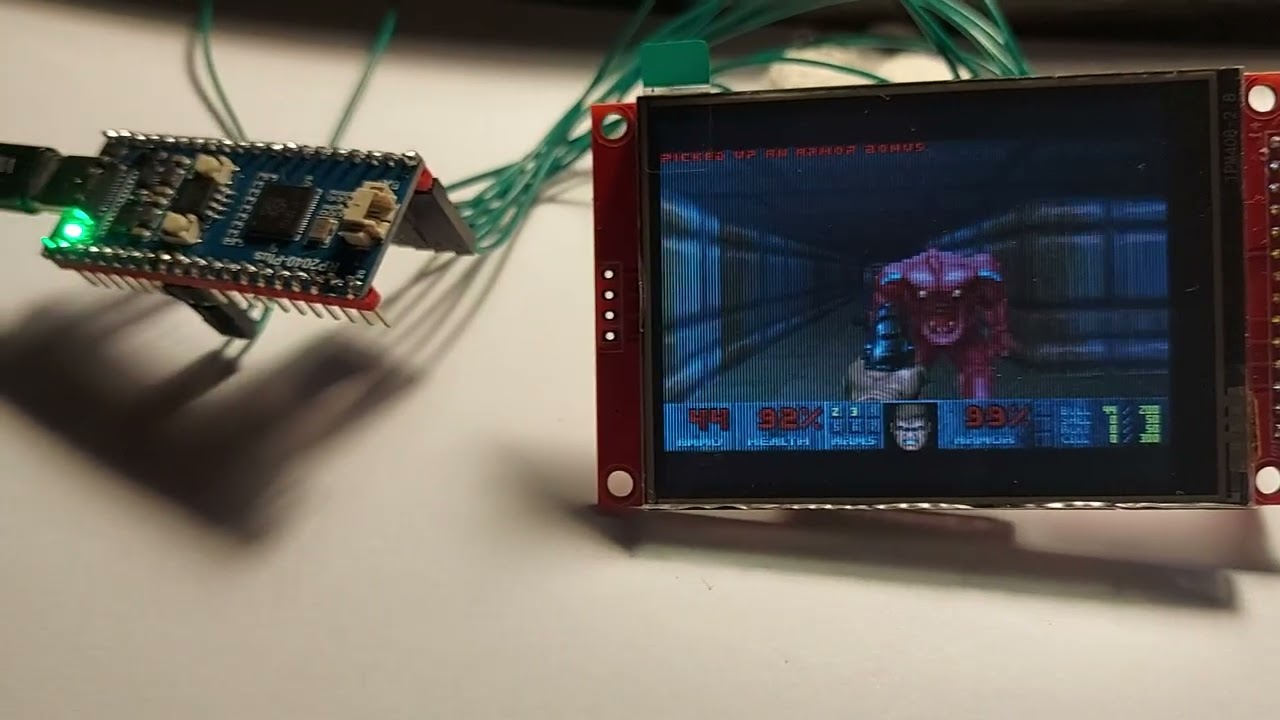
RP2040 ILI9341 320x200:
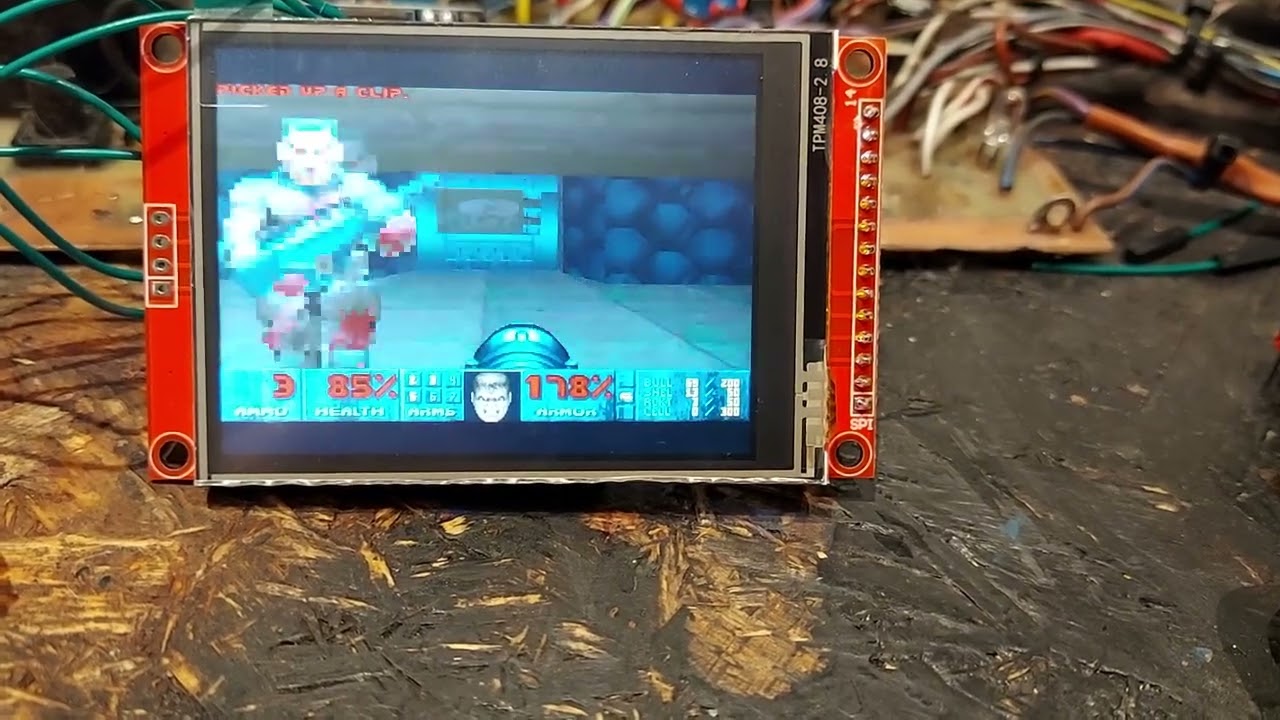
RP2350 ILI9341 320x200:
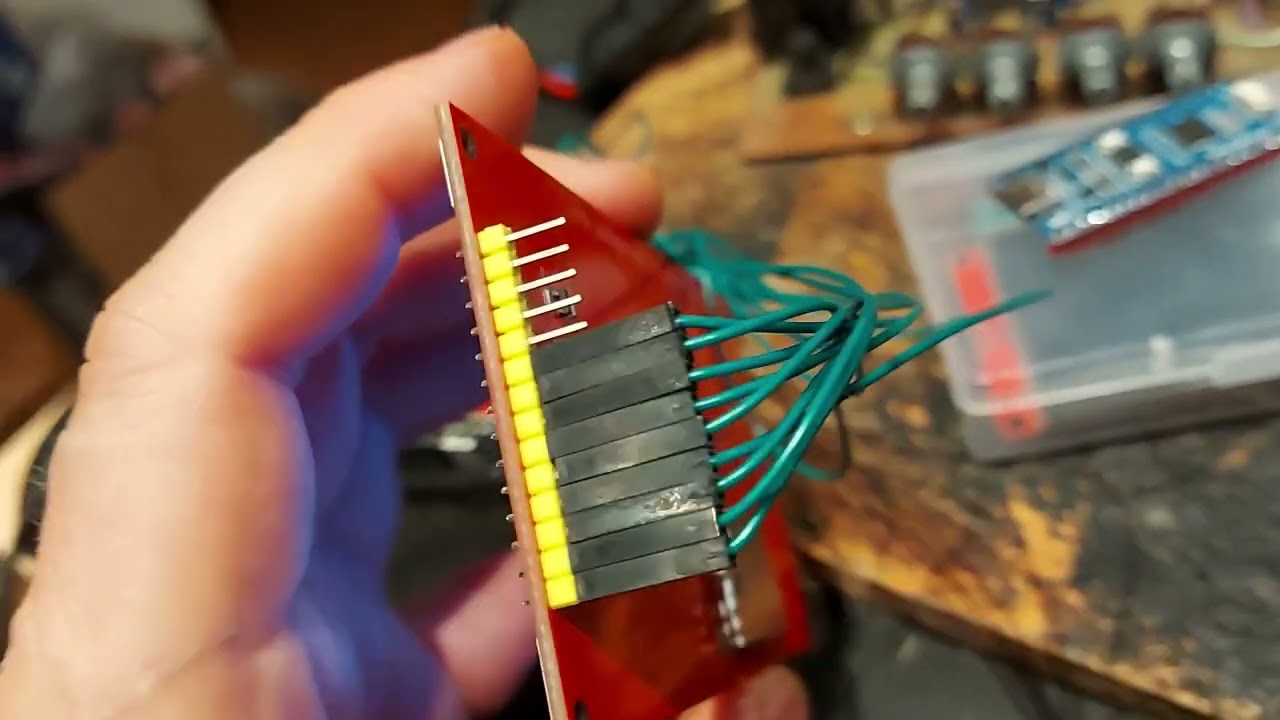
RP2350 ST7796S 480x320:
The original rp2040-doom project proved that real Doom can run on RP2040 by
heavily compressing game data into WHD/WHX and carefully shrinking Chocolate
Doom. DoomConsole keeps that core idea and much of the renderer/data-format
work, but changes the platform layer:
- Application entry is JaszczurHAL-style
app_start(),app_task0(),app_task1(). - Firmware is built by CMake against the official Pico SDK through JaszczurHAL's native RP build.
- Video output is a 320x200 indexed Doom framebuffer converted to RGB565 and streamed to a HAL TFT display.
- Core1 is used for asynchronous TFT flush and experimental renderer helper work.
- Audio is routed through JaszczurHAL DMA PWM audio.
- Game data is expected as a raw WHD/WHX flash payload, separate from the UF2 firmware image.
- Most legacy desktop, SDL, OPL, network, setup, and old Pico SDK backend files have been moved out of the active source tree.
The active platform code lives mostly in:
doom_main_config.h- central port configuration.hal_project_config.h- thin JaszczurHAL config wrapper.src/jaszczurhal/- current HAL backends and application wrapper.src/doom/- Doom game and renderer code retained from the port lineage.src/whd_gen/- WHD/WHX generation tooling retained for the data format.
The port builds and runs as RP2040/RP2350 firmware. The renderer is functional but still performance-oriented work in progress. PCB is not ready yet. Current measurements show the main cost in wall/BSP column rendering.
Important current traits:
- Tested configuration uses Waveshare RP2040 Plus / 4 MB style target, and Raspberry pi pico2 (RP2350).
- The default WHD/WHX payload address is
0x10200000. - The active build is tuned for a TFT display and HAL GPIO/button input.
See port_issues.md for the short current performance plan.
Common groups in doom_main_config.h:
- TFT display: SPI pins, panel dimensions, rotation, color order, flush mode.
- GPIO input: active-low mode and button pins.
- Audio: PWM pin, PWM resolution, block size, sample rate, mixer channels.
- Flash/WHD: XIP base, flash size, payload address, scan step.
- Zone/heap: Doom zone size and heap reserve.
- Renderer/performance: patch/flat decoder buffers, column cache, plane queue, dual-core column mode, sentinel/debug values.
Most values can still be overridden from CMake/compiler definitions before
doom_main_config.h is included.
VS Code uses the shared JaszczurHAL entrypoint:
../libraries/JaszczurHAL/vscode/entry/jh-vscode
The firmware module contract lives in .vscode/jaszczurhal.project.json.
That manifest is the source of truth for the target, board profile, generated
CMake build directory, USB identity, artifacts, and Doom-specific CMake cache
values.
The most useful Doom CMake cache keys are:
DOOM_TFT_PANEL- display driver, eitherili9341orst7796s.DOOM_HIGHRES_SCENE- render the scene at the full panel resolution:320x240on ILI9341 or480x320on ST7796S. The ST7796S path is supported only for RP2350/Pico 2.JH_ILI9341_SPI_DEFAULT_HZ- requested TFT SPI clock.DOOM_SYS_CLOCK_KHZ- RP2040/RP2350 system clock request.DOOM_DUAL_CORE_COLUMNS,DOOM_RENDER_ASYNC_PLANES,DOOM_VIDEO_SYNC_FLUSH- renderer/flush experiments; the default active values are conservative.
To use the classic ILI9341 path, keep highres disabled:
{
    "cmake": {
        "cache": {
            "DOOM_TFT_PANEL": "ili9341",
            "DOOM_HIGHRES_SCENE": "0"
        }
    }
}
This works on RP2040 and RP2350 builds. For a Raspberry Pi Pico, select the
native RP2040 target and its pico board profile:
{
    "target": "rp2040",
    "board": "pico"
}
To fill the whole 320x240 ILI9341 panel, enable highres while keeping the ILI9341 driver:
{
    "cmake": {
        "cache": {
            "DOOM_TFT_PANEL": "ili9341",
            "DOOM_HIGHRES_SCENE": "1"
        }
    }
}
To use the 4.0 inch ST7796S 480x320 path, select an RP2350/Pico 2 board and enable highres:
{
    "target": "rp2350-arm",
    "board": "pico2w",
    "cmake": {
        "cache": {
            "DOOM_TFT_PANEL": "st7796s",
            "DOOM_HIGHRES_SCENE": "1"
        }
    }
}
st7796s is intentionally rejected for RP2040 targets. The ST7796S full-panel
framebuffer and flush buffers are RP2350-only.
After changing the manifest, regenerate the CMake cache and rebuild:
../libraries/JaszczurHAL/vscode/entry/jh-vscode build --project .On Windows use the native launcher:
& ..\libraries\JaszczurHAL\vscode\entry\jh-vscode.cmd build --project .Expected local tools:
cmake- JaszczurHAL checked out at
../libraries/JaszczurHALby default
JaszczurHAL's ./runmefirst.sh or runmefirst.ps1 prepares the pinned Pico
SDK, RP toolchains, picotool, and the remaining managed dependencies required
by the build. The WHX uploader reads the same managed picotool path from
JaszczurHAL's host environment; it does not search Arduino directories.
The tracked editor configuration points jaszczurhal.root at
../libraries/JaszczurHAL; override that local setting when the checkout uses
a different path.
Configure (optional):
../libraries/JaszczurHAL/vscode/entry/jh-vscode config-dump --project .Build:
../libraries/JaszczurHAL/vscode/entry/jh-vscode build --project .Generate/update compile commands for editor tooling:
../libraries/JaszczurHAL/vscode/entry/jh-vscode refresh-intellisense --project .Other CMake targets:
firmware_debug- debug build target used by the shared workflow.firmware_upload- firmware build prerequisite used by the upload workflow.firmware_compile_db- compile database refresh target.
The generated outputs are placed under .build/, including:
.build/firmware.elf.build/firmware.bin.build/firmware.uf2
Detailed linker output, including firmware.elf.map, remains in the resolved
target/board directory below .build/cmake/.
The Windows firmware workflow runs uploader/unit tests, validates the managed
picotool dry run, builds the default RP2350 ARM/Pico 2 W firmware and refreshes
IntelliSense on a native windows-2025 runner. Physical WHX load/verify/reboot
remains a manual BOOTSEL smoke test.
Board selection uses the JaszczurHAL target and board profile in
.vscode/jaszczurhal.project.json, with optional local overrides stored in
.vscode/jaszczurhal.local.json. The tracked configuration selects:
target: rp2350-arm
board:  pico2w
Use the Project: Select board task or pass --target and --board to
jh-vscode to select another supported RP profile.
Firmware UF2 upload and WHX/WHD payload upload are intentionally separate.
VS Code firmware tasks:
Project: BuildProject: Build (Debug)Project: Upload- verified serial upload throughjh-vscode; if no serial port is configured and exactly one BOOTSEL drive is visible, it falls back to UF2.Project: Upload (UF2 / BOOTSEL)- builds and copies.build/firmware.uf2to the mounted BOOTSEL drive.Project: Serial MonitorProject: Refresh IntelliSenseProject: Upload WHX Payload- runs the picotool WHX helper below.
The Run and Debug view provides RP2040/RP2350 launch and attach profiles for a
CMSIS-DAP Debug Probe. On native Windows, JaszczurHAL runmefirst.ps1
configures the verified OpenOCD and GNU Arm paths in the user profile; the
project launch file does not require machine-local Cortex-Debug variables.
The WHX payload upload remains a separate picotool flow and expects a 4 MiB Doom target board to already be in BOOTSEL mode. On Windows:
py -3 scripts/upload_whx.pyOn Linux/macOS:
python3 scripts/upload_whx.pyBy default it writes the payload at:
0x10200000
This address is controlled by DOOM_WHD_FLASH_ADDR.
The helper always runs picotool load followed by verify, and reboots only
after both commands succeed. Use --no-reboot to keep the board in BOOTSEL or
--dry-run to validate the payload, managed tool path, flash bounds and exact
commands without accessing USB. The default safety check requires the 1.8 MiB
payload at 0x10200000 to fit within the declared 4 MiB flash; do not use this
flow on a 2 MiB Pico.
After shared task-registry changes, regenerate and verify the tracked VS Code files with:
py -3 scripts/sync_vscode_project.py
py -3 scripts/sync_vscode_project.py --checkLike rp2040-doom, this port does not run directly from a normal WAD file on
the device. WAD data must be converted to the compact WHD/WHX format used by
the RP2040/2350 renderer/data path.
The generator code is retained in:
src/whd_gen/
The active firmware expects the converted payload in flash, separate from the program image. The default payload address assumes a board with at least 4 MB of flash.
The firmware prints render diagnostics such as:
[render] frame=... fps=... cols=... planes=... tus=bsp/planes/masked/pspr/hud ...
Useful fields:
fps- current frame-rate estimate.cols- wall columns submitted/rendered.planes,pdrop- floor/ceiling workload and queue drops.masked- masked sprite workload.black=total/top/mid/bot- undrawn sentinel pixels by screen band.tus=bsp/planes/masked/pspr/hud- per-frame timing in microseconds.pcache- decoded patch/column cache behavior.ccol,casync- dual-core column queue/helper diagnostics.flush- asynchronous TFT flush statistics.
the main optimization target remains BSP/wall column rendering and safe core1 offload.
doom_main_config.h       central port configuration
hal_project_config.h     JaszczurHAL project config wrapper
CMakeLists.txt           native Pico SDK/JaszczurHAL firmware recipe
src/jaszczurhal/         active platform backends
src/doom/                Doom game and renderer code
src/whd_gen/             WHD/WHX conversion tooling
scripts/                 WHX/picotool payload helper
port_issues.md          current performance notes and next steps
_unused/                 files removed from the active port path
This project is a modified port based on kilograham/rp2040-doom, itself derived from Chocolate Doom.
License expectations follow the upstream lineage:
- Code derived from Chocolate Doom keeps its original GPL licensing.
- RP2040-specific code from the original port follows the licensing of
kilograham/rp2040-doom. - New JaszczurHAL port glue in this repository should be treated according to the repository's existing license files and upstream compatibility.
Keep attribution to both upstream projects when redistributing modified builds.