
A .NET Framework 4.8 template for creating DLL mods for the video game Spaceflight Simulator (SFS).
Some features include:
- Mod information customisation, e.g. ID, display name, author, etc.
- Automatic resolution of SFS installation path + references to game DLLs
- Automatic mod copying to SFS mods folder
- Harmony boilerplate
- Git repo initialisation + .gitignore
- Open source license selection
See here for more information on the features of this template.
- .NET SDK 6.0 and newer
- .NET Framework 4.8 (pre-installed on Windows 10 and 11 operating systems)
- SFS installed via Steam
Run the following command to install the template from NuGet:
dotnet new install kojamori.SFS.Templates.CodeMod
dotnet new --install kojamori.SFS.Templates.CodeMod
Run the following command to update the template from NuGet:
dotnet new update
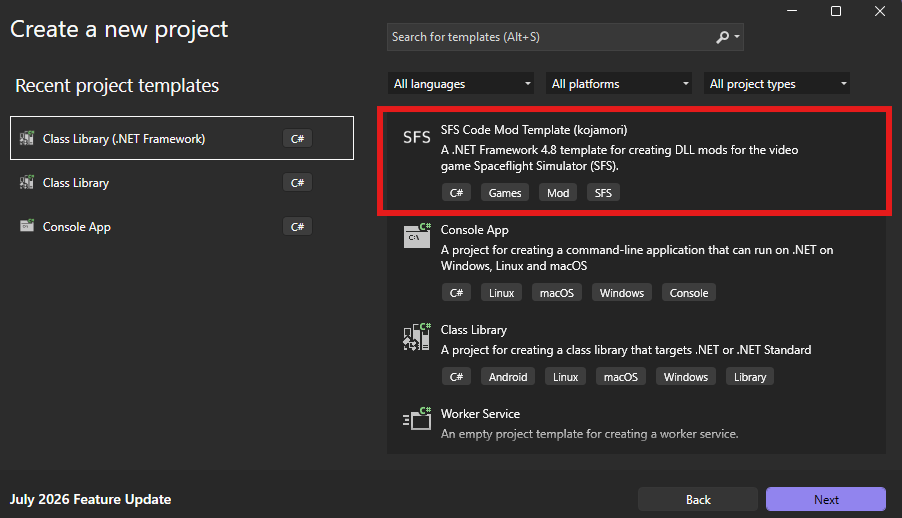
When using Visual Studio, you can also use the "Create a new project" dialog and search for "SFS Code Mod Template" to create a new SFS mod project, as seen in the screenshots below.
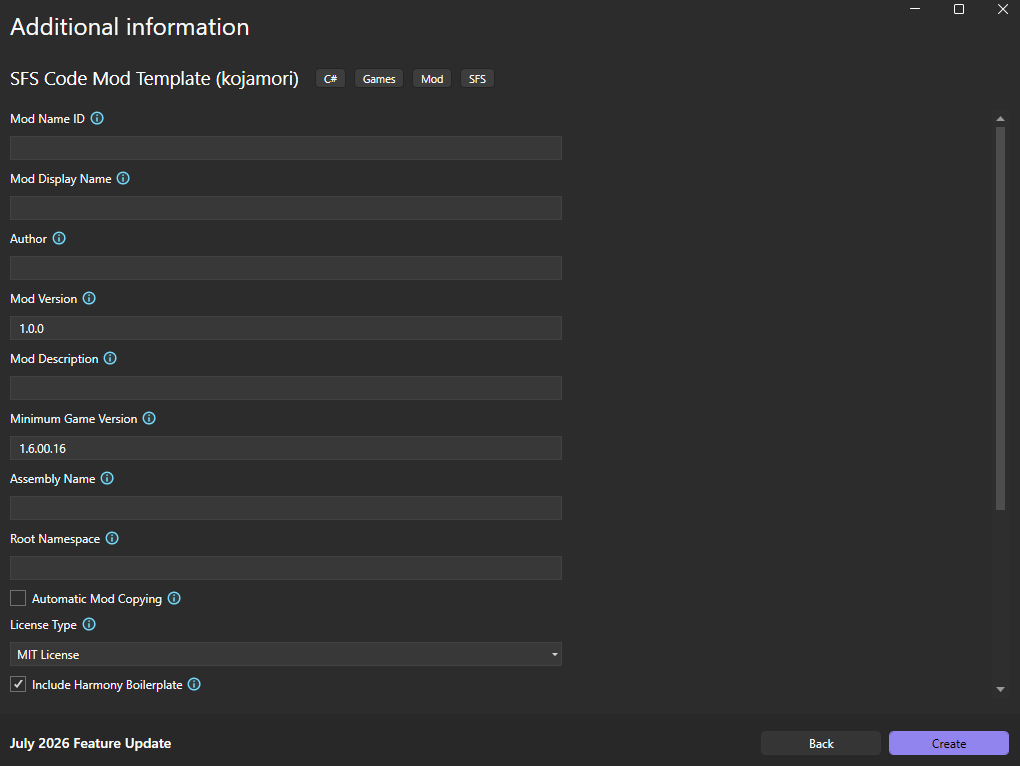
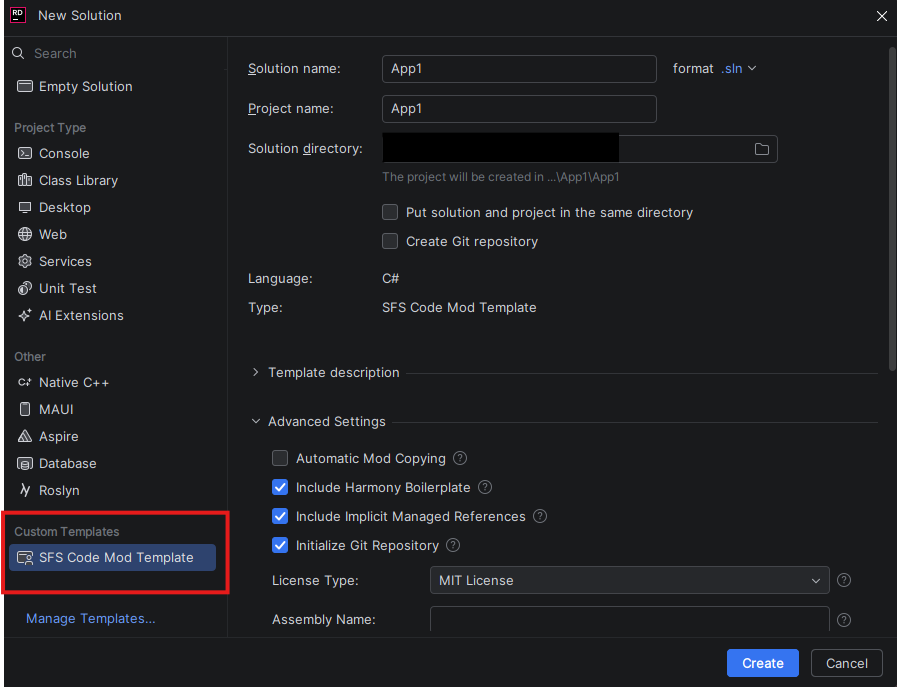
When using JetBrains Rider, you can also use the "New Solution" dialog and select the "SFS Code Mod Template" on the bottom-left side, below "Custom Templates" to create a new SFS mod project, as seen in the screenshot below.
Syntax:
dotnet new sfsmod [options] [template options]Example usage:
dotnet new sfsmod -n BestSFSMod -au kojamori --modDisplayName "Best SFS Mod"See here for all CLI options.
https://sfsforum.com/index.php?threads/code-mod-net-project-template.20090/
https://kojamori.github.io/SFS-Modding-Guide/
See LICENSE.