Add a live-resize handle for the Paste Bar - #87
Open
alvst wants to merge 2 commits into
Open
Conversation


- BarResizeGeometry centralizes bar-height sizing rules (default/min/max,
  per-display clamping, and the macOS 26 glass content frame math) shared
  by both the persisted preference and the live drag session.
- BarResizeHandle is a compact AppKit drag target (with accessibility
  increment/decrement support) shown in an optional overlay at the top
  of the bar.
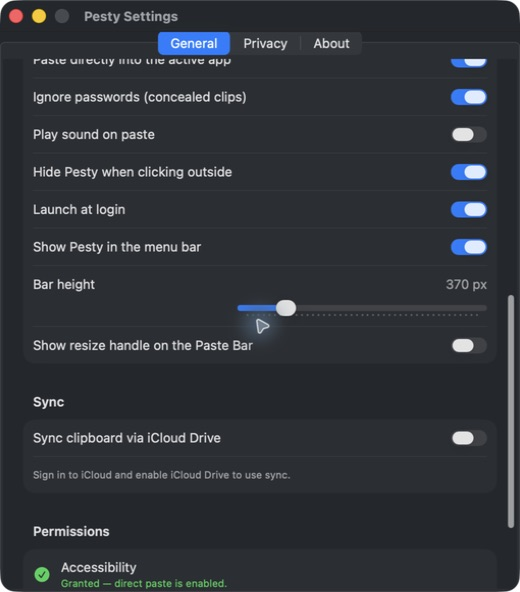
- A new "Show resize handle on the Paste Bar" Settings toggle gates it,
  off by default. The bar's own key monitor steps aside while the handle
  owns first responder, so Escape/arrows during a drag reach it directly.

The height slider in Settings previews the same size. Clicking into
Settings dismisses the bar, so a pixel count was previously the only
feedback for a dimension that is only meaningful on screen. Dragging the
slider now live-resizes the real bar when it happens to be up, and
otherwise raises BarHeightGhostController: a translucent, click-through
panel occupying exactly the frame the bar would take on the display under
the pointer, drawing a faded real BarView behind a dashed outline and a
large "N px" readout, and retiring itself about 1.1s after the last
change. Showing the bar hides any outline still lingering.
Matches Alvie's Pesty's wording exactly - the value is a raw point
count either way, this was just a wording mismatch caught during
visual parity review of the settings redesign.

This file contains hidden or bidirectional Unicode text that may be interpreted or compiled differently than what appears below. To review, open the file in an editor that reveals hidden Unicode characters.
Learn more about bidirectional Unicode characters
Sign up for free
to join this conversation on GitHub.
Already have an account?
Sign in to comment
1 participant

Add this suggestion to a batch that can be applied as a single commit.This suggestion is invalid because no changes were made to the code.Suggestions cannot be applied while the pull request is closed.Suggestions cannot be applied while viewing a subset of changes.Only one suggestion per line can be applied in a batch.Add this suggestion to a batch that can be applied as a single commit.Applying suggestions on deleted lines is not supported.You must change the existing code in this line in order to create a valid suggestion.Outdated suggestions cannot be applied.This suggestion has been applied or marked resolved.Suggestions cannot be applied from pending reviews.Suggestions cannot be applied on multi-line comments.Suggestions cannot be applied while the pull request is queued to merge.Suggestion cannot be applied right now. Please check back later.
The bar's height is only meaningful on screen, but the only way to change it was a Settings slider whose feedback was a number — and clicking into Settings dismisses the bar. This adds an optional drag handle on the bar itself, and makes the slider preview the size it's describing.
What changed
BarResizeGeometrycentralizes the height rules (default/min/max, per-display clamping, macOS 26 glass content-frame math) so the persisted preference and the live drag can't disagree.BarResizeHandleis a compact drag target at the top of the bar, with accessibility increment/decrement. A new "Show resize handle on the Paste Bar" setting gates it, off by default.BarViewbehind a dashed outline with a large "N px" readout — and retires ~1.1s after the last change. Showing the bar clears any lingering outline.Screenshots
Before:
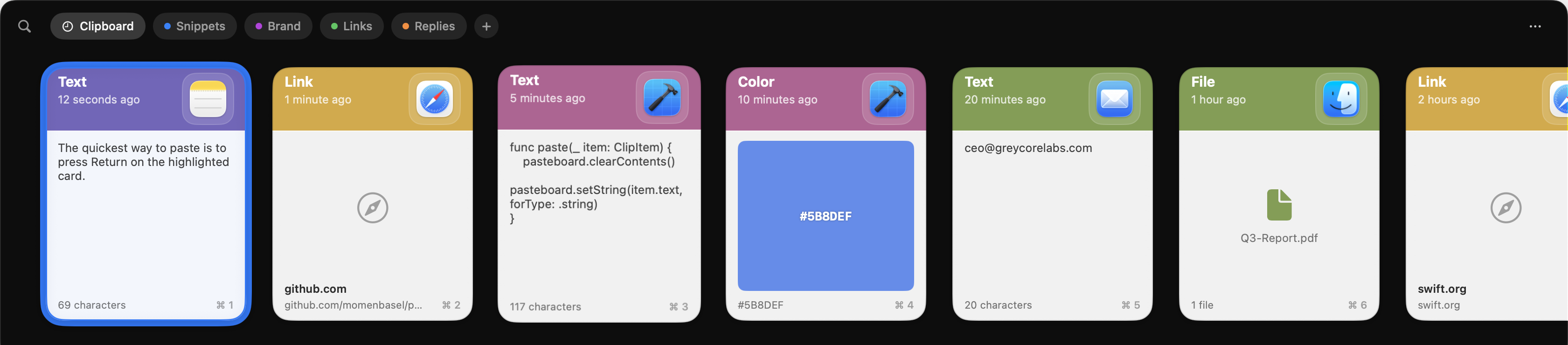
After:
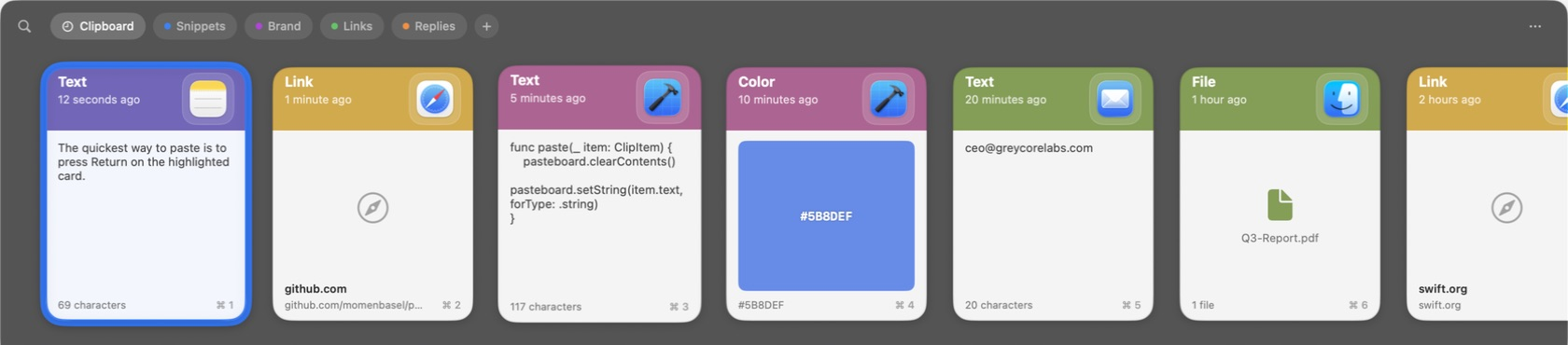
The resize ghost is deliberately not pictured. It's a click-through window
that retires ~1.1s after the last change, so it can't be selected by macOS's
window capture and won't survive a screenshot — describing it is more honest
than shipping a still of the ordinary bar and calling it the ghost.
Notes for review
BarResizeGeometry, so the outline can't promise a height the display won't actually grant.This feature should be bundled into v2.
Part of #80.