Add clip color themes and a selected-clip position preference - #94
Open
alvst wants to merge 1 commit into
Open
Conversation


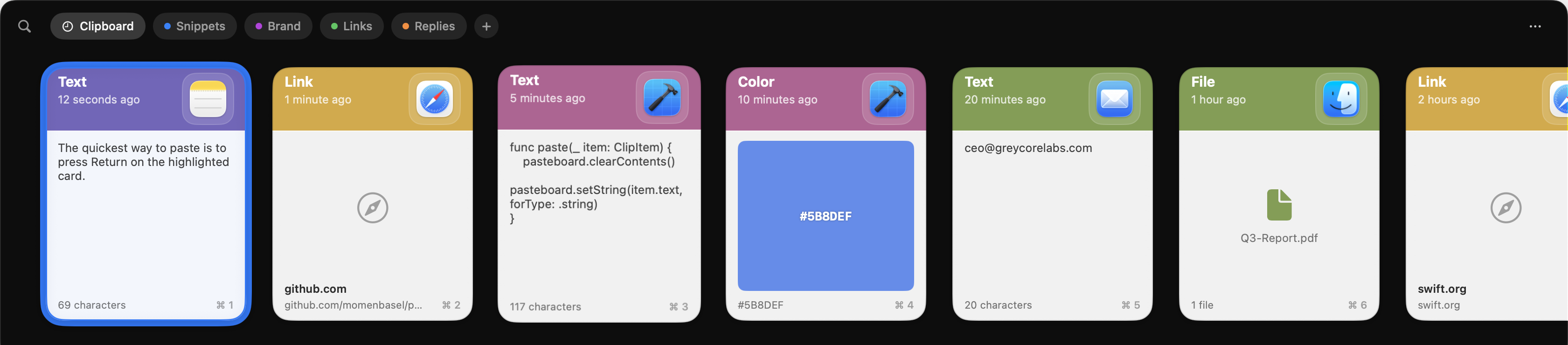
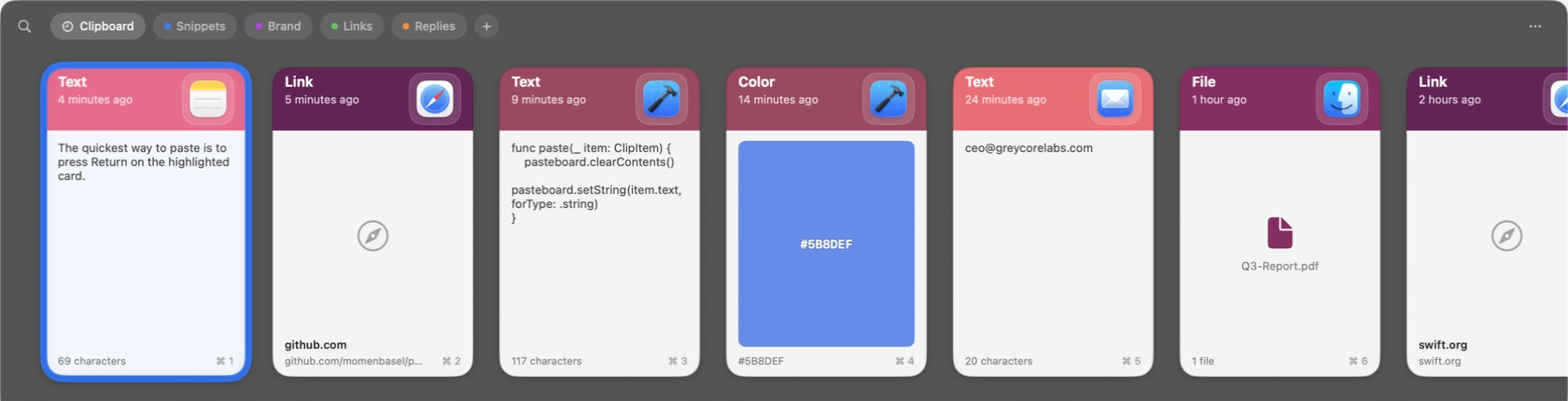
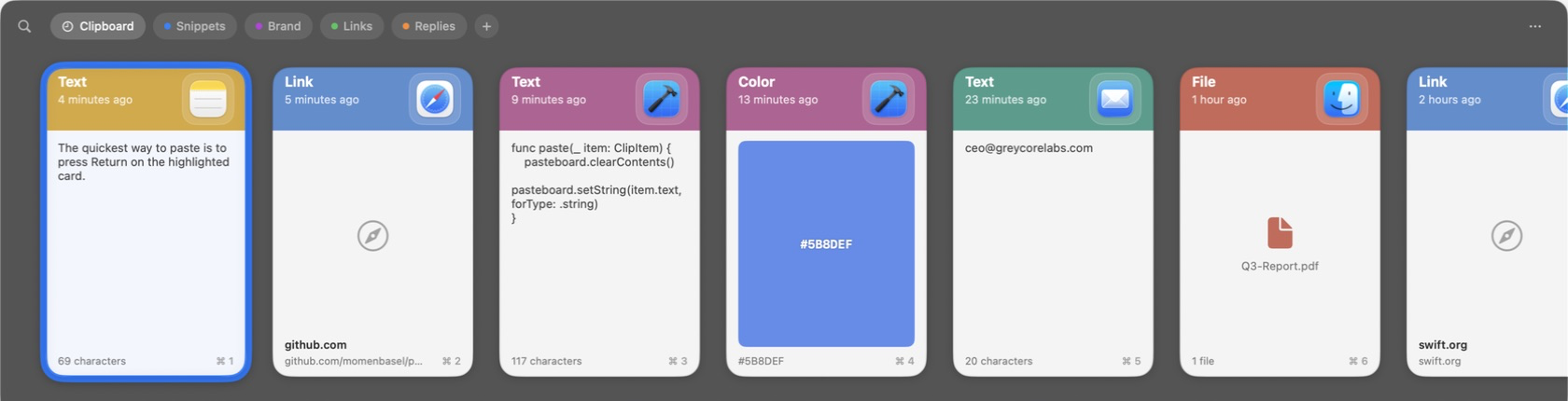
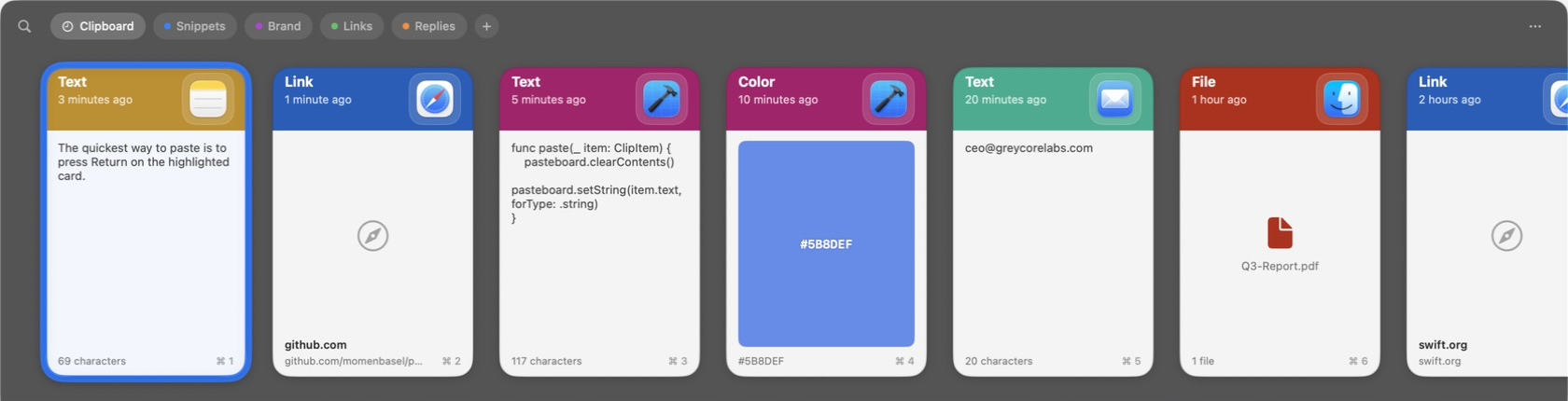
Clips can now use one of three color themes: Default keeps the
existing per-source-app palette assignment unchanged, Vibrant boosts
each source color's saturation and brightness for a punchier header,
and Accent Shades derives ten deterministic hue/saturation/brightness
variants from a single user-picked base color, so every source app
keeps a stable, recognizable shade without a stored per-app palette.
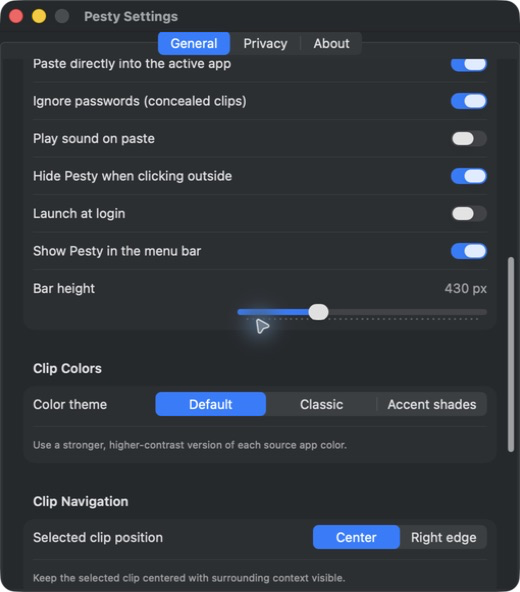
The choice and base color live in Settings under a new "Clip Colors"
section, with a live swatch preview when Accent Shades is selected.

A "Clip Navigation" section adds a Center vs. Right edge preference
for where the selected clip parks in the bar's horizontal strip -
Right edge mirrors Paste, keeping the active card pinned to the
trailing edge instead of centered. The bar's scroll-to-selection now
reads this preference for its anchor and re-scrolls immediately if the
preference changes while a clip is selected.

Ported from an unmerged branch, scoped to just these two features -
the Quick Look focus fixes, play-sound-on-copy toggle, Pinboard tab
pill styling, and Settings sidebar-row-clickability tweaks bundled in
the source commit are left out, either already built elsewhere or
being handled as their own PR.

This file contains hidden or bidirectional Unicode text that may be interpreted or compiled differently than what appears below. To review, open the file in an editor that reveals hidden Unicode characters.
Learn more about bidirectional Unicode characters
Sign up for free
to join this conversation on GitHub.
Already have an account?
Sign in to comment
1 participant

Add this suggestion to a batch that can be applied as a single commit.This suggestion is invalid because no changes were made to the code.Suggestions cannot be applied while the pull request is closed.Suggestions cannot be applied while viewing a subset of changes.Only one suggestion per line can be applied in a batch.Add this suggestion to a batch that can be applied as a single commit.Applying suggestions on deleted lines is not supported.You must change the existing code in this line in order to create a valid suggestion.Outdated suggestions cannot be applied.This suggestion has been applied or marked resolved.Suggestions cannot be applied from pending reviews.Suggestions cannot be applied on multi-line comments.Suggestions cannot be applied while the pull request is queued to merge.Suggestion cannot be applied right now. Please check back later.
Card colors are currently derived from the source app with no say in the result. This adds two alternative palettes and a preference for where the selected card parks in the strip.
What changed
Screenshots
Before:
After:
Notes for review
This feature should be bundled into v2.
Part of #80.