


ESP32 WiFi Connect UI. Your ESP32 will automatically launch a dedicated WiFi Access Point DNS Server, with User Interface, when WiFi isn't configured yet or unavailable. This will allow you to configure and save the WiFi credentials to the onboard flash and connect to the WiFi when in range.
#include <ESP32_WiFi_Connect.h>

ESP32_WiFi_Connect espwifi;

void setup() {
  Serial.begin(115200);

  espwifi.begin();

  Serial.println(espwifi.getStatus()); // optional debugging info
}

void loop() {}
Automatically creates a WiFi Access Point (AP) to allow you to connect to the device.
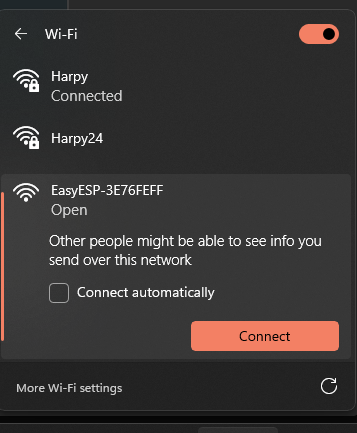
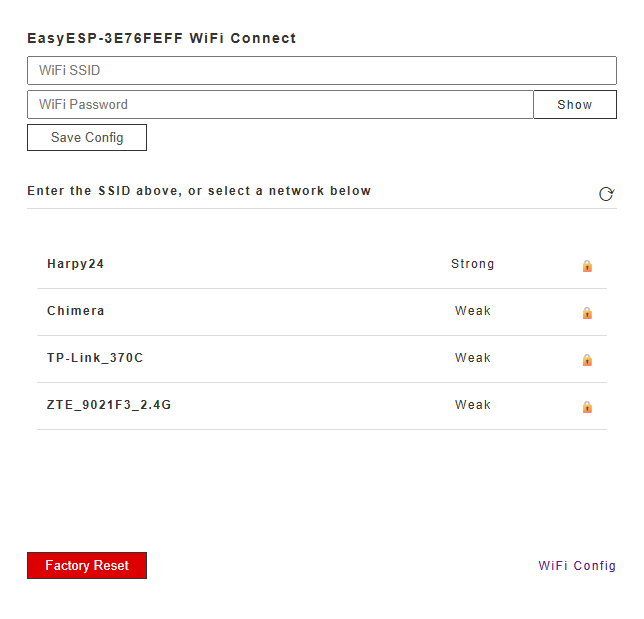
Automatically scans for local WiFi networks and allows you to easily configure your local WiFi network credentials via a web app interface
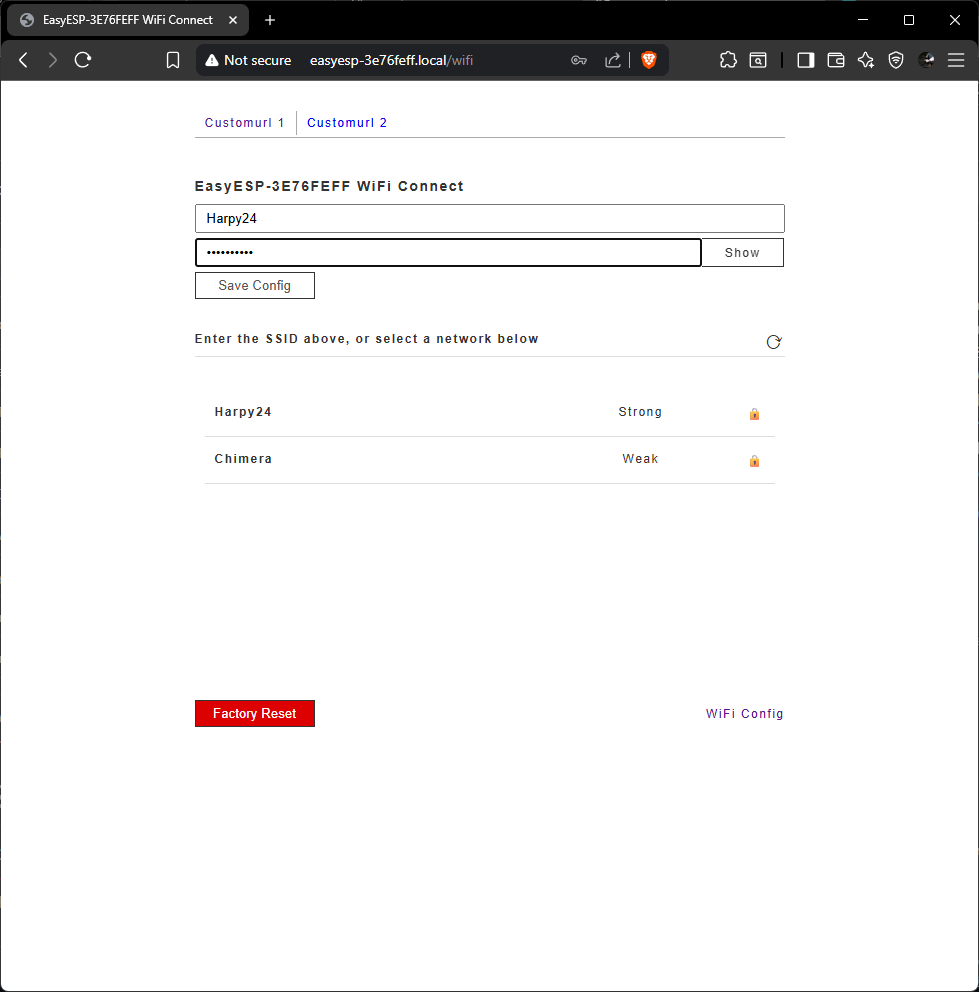
You can access the web app configuration using your AP SSID. Example: http://easyesp-3e76feff.local/ or http://mycustomapname.local/ (if a custom AP SSID was configured in your sketch)
#include <ESP32_WiFi_Connect.h>

ESP32_WiFi_Connect espwifi; // Initialize the ESP32 WiFi Connect System

void setup() {
  Serial.begin(115200);

  espwifi.setCustomAP("MyCustomAPName", "MySup3r5ecurePass@99"); // Set your custom AP SSID and password
  // Password should be a minimum of 8 characters (secured), or set to "" for an open network (insecure)

  // espwifi.setDefaultWiFi("MyLocalWifi", "S3curePa55"); // (optional) Pre-confugure your local WiFi station details as part of the Factory Default settings. Your device will automatically connect to this WiFi station, if in range, without you needing to connect to the AP first and manually configure your local WiFi station on first startup, or after performing a Factory Reset.

  espwifi.begin();

  Serial.println(espwifi.getStatus()); // Get the device WiFi status.
  // wifi_not_configured, means the WiFi SSID hasn't been configured yet
  // wifi_connection_failed, means the WiFi SSID has been configured, but it can't connect.
  // - Check your settings, or whether the WiFi is out of range. Alternatively factory reset or format flash memory and reconfigure the device.
  // wifi_connected, means the WiFi SSID has been configured and is connected
}

void loop() {}
#include <ESP32_WiFi_Connect.h>

// Change the default WiFi config design (Not recommended)
/*
char custom_ap_html[] PROGMEM = R"=====(
<!DOCTYPE HTML><html>
  <head>
  </head>
  <body>
    <div id="content">
    <h4>CUSTOM HTML HERE</h4>
  </body>
</html>
)=====";
*/

ESP32_WiFi_Connect espwifi; // Initialize the ESP32 WiFi Connect System

void setup() {
  Serial.begin(115200);

  espwifi.setCustomAP("MyCustomAPName", "MySup3r5ecurePass@99"); // (optional) Set a custom AP SSID and password for the AP WiFi and access point hostname

  espwifi.setDefaultWiFi("MyWifiRouter", "S3curePa55"); // (optional) Automatically connect to this WiFi station if no other WiFi has been configured in the web app.

  //espwifi.setCustomAPhtml(custom_ap_html); // Update the default AP html

  //espwifi.setDashboard("/customurl"); // Set the AP dashboard url. Defaults to the WiFi Config page at /wifi

  espwifi.debug(true); // Enable debugging

  espwifi.begin(); // Begin the ESP32 WiFi Connect System. All AP config settings should be set before this. All custom webpages should be set after this

  // Add a custom HTTP_GET page, with menu link, using the built-in ESP32 WiFi Connect quick page function.
  espwifi.addToMenu("Customurl 1", "/customurl1"); // Add a url name and link to the built-in menu
  espwifi.onGet(
    "/customurl1",
    [](AsyncWebServerRequest *request) {
      String content = "<h1>Hello World!</h1>";
      espwifi.sendHtmlPage(request, content);
    }
  );

  Serial.println(espwifi.getStatus()); // Get the WiFi status of the device.
  // wifi_not_configured, means the WiFi SSID hasn't been configured yet
  // wifi_connection_failed, means the WiFi SSID has been configured, but it can't connect.
  // - Check your settings, or whether the WiFi is out of range. Alternatively factory reset or format flash memory and reconfigure the device.
  // wifi_connected, means the WiFi SSID has been configured and is connected
}

void loop() {}
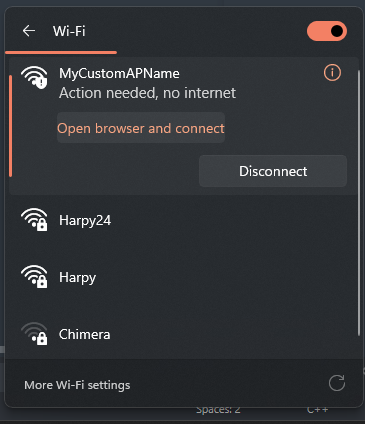
Connect to your AP WiFi (with Password, if configured):
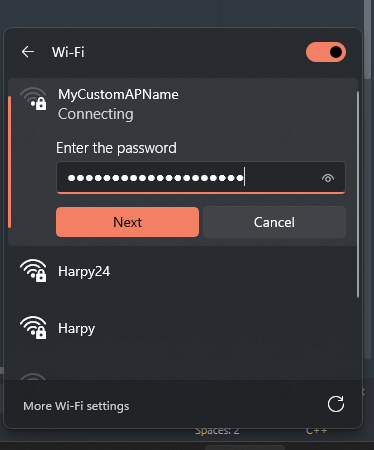
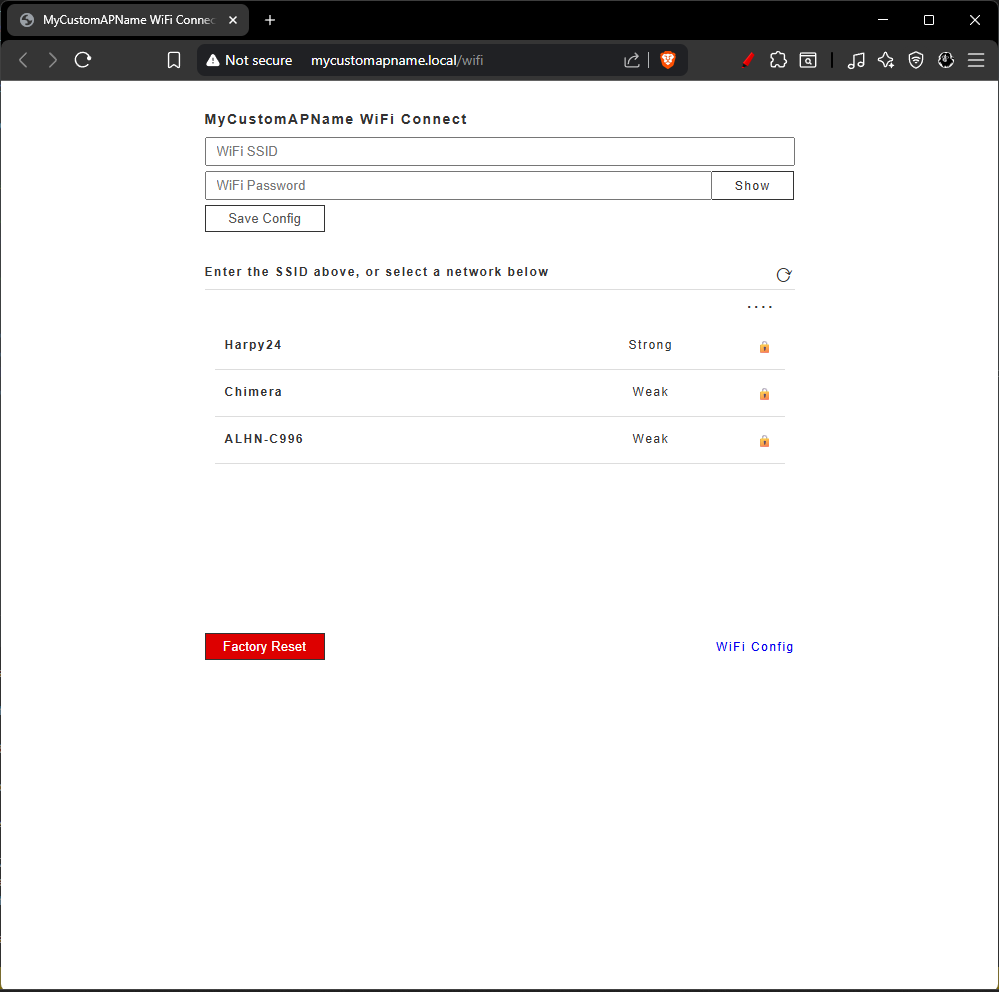
Once connected, go to the AP Hostname url in a browser to configure the device. The AP Hostname url will be your APName.local (example: http://easyesp-3e76feff.local/ or http://mycustomapname.local/ if a custom AP SSID was configured in your sketch):
Once on the AP Config Web Page, select or enter your WiFi SSID and Password, then save. The device will reboot and automatically connect to the configured WiFi router:
Your AP SSID will also show up your WiFi Router with an IP, when connected. When connected to the same WiFi, you can still access the AP via the original APHostname.local url, or via the IP:

