🚀 A Svelte-powered Stack Overflow theme for JSON Resume





- resuml CLI — Use with resuml CLI for building, previewing, and exporting resumes
- jsonresume-theme-react — React-based JSON Resume theme
- JSON Resume — The open standard for resume data
- Svelte SSR — Server-side rendered with Svelte 5 for fast, clean HTML output
- Dark mode — Automatic light/dark theme via
prefers-color-scheme - Internationalization — 12 languages supported out of the box
- Customizable themes — Override colors and fonts via
resume.jsonmeta field - Section ordering — Reorder resume sections via
meta.theme.sectionOrder - Override CSS — Drop in an
override.cssfor full control - PDF-ready — Built-in PDF render options with sensible margins
- Zero runtime JS — Pure HTML + CSS output, no client-side JavaScript
| Light Mode | Dark Mode |
|---|---|
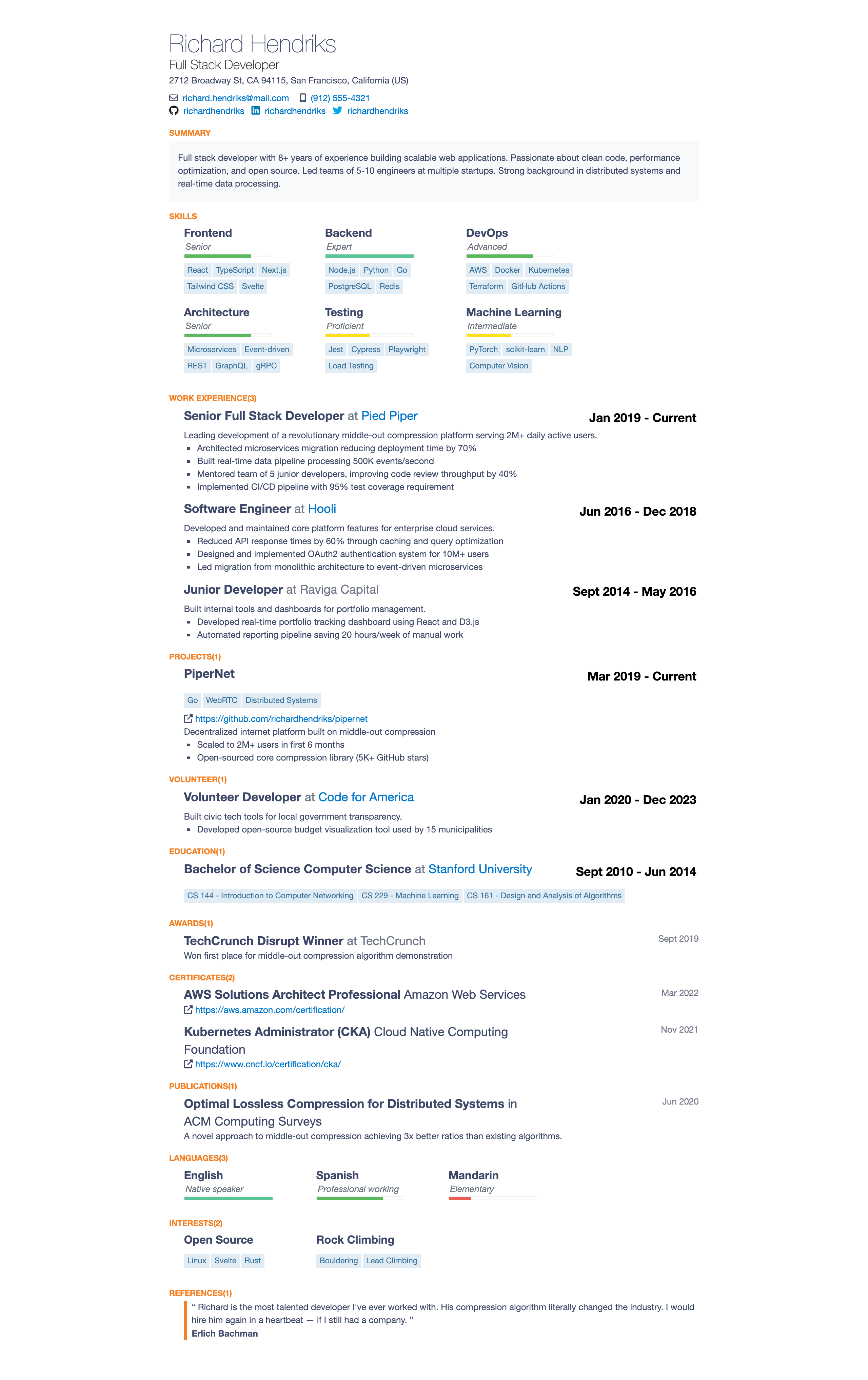 |
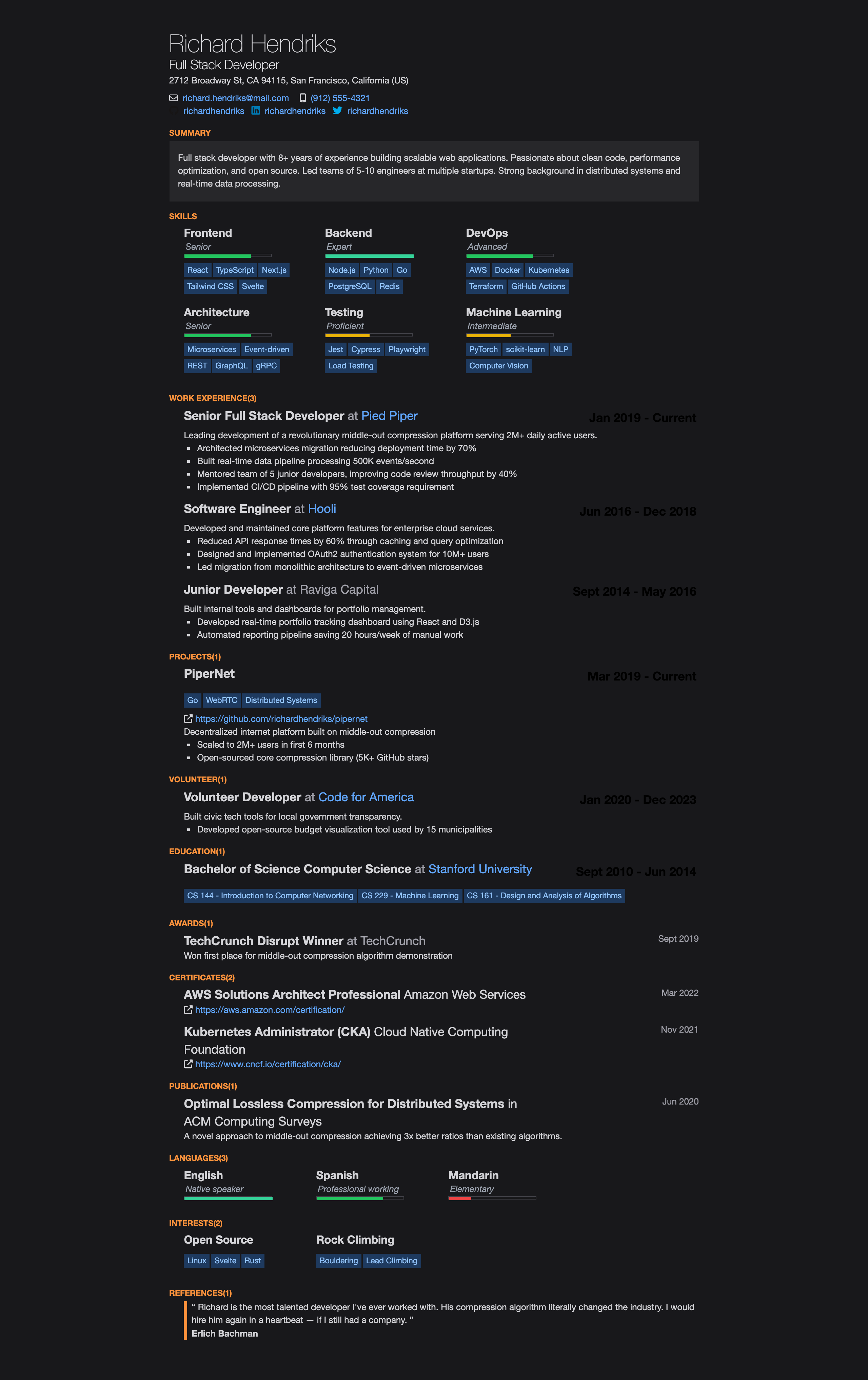 |
npm install jsonresume-theme-stackoverflownpm install -g resuml
resuml init # Create a resume.yaml
resuml build -t stackoverflow # Build HTML
resuml pdf -t stackoverflow # Export PDF
resuml serve -t stackoverflow # Live previewconst theme = require('jsonresume-theme-stackoverflow');
const resume = require('./resume.json');
// Optional: set language (default: "en-gb")
theme.changeLanguage('de');
const html = theme.render(resume);| Code | Language |
|---|---|
en-gb / en |
English (default) |
de |
German / Deutsch |
fr |
French / Français |
es |
Spanish / Español |
it |
Italian / Italiano |
pt |
Portuguese / Português |
zh |
Chinese / 中文 |
ja |
Japanese / 日本語 |
ko |
Korean / 한국어 |
nl |
Dutch / Nederlands |
pl |
Polish / Polski |
ru |
Russian / Русский |
const theme = require('jsonresume-theme-stackoverflow');
theme.changeLanguage('fr'); // Set before calling render()
const html = theme.render(resume);Customize colors and fonts by adding a theme object inside meta in your resume.json:
{
  "meta": {
    "theme": {
      "primaryColor": "#2563eb",
      "textColor": "#1e293b",
      "backgroundColor": "#ffffff",
      "fontFamily": "\"Inter\", sans-serif",
      "linkColor": "#2563eb",
      "headingColor": "#0f172a"
    }
  }
}| Property | CSS Variable | Description |
|---|---|---|
primaryColor |
--color-accent |
Section titles, accents |
textColor |
--color-text |
Main body text |
textSecondaryColor |
--color-text-secondary |
Secondary text (companies, dates) |
headingColor |
--color-heading |
Heading color |
linkColor |
--color-link |
Link color |
backgroundColor |
--color-background |
Page background |
backgroundAltColor |
--color-background-alt |
Summary section background |
borderColor |
--color-border |
Border colors |
keywordTextColor |
--color-keyword-text |
Skill/keyword tag text |
keywordBgColor |
--color-keyword-bg |
Skill/keyword tag background |
fontFamily |
--font-family |
Base font family |
For full CSS control, create an override.css file alongside your resume. The theme automatically loads it via <link rel="stylesheet" href="./override.css">.
Control the order of resume sections by adding a sectionOrder array to meta.theme:
{
  "meta": {
    "theme": {
      "sectionOrder": ["basics", "work", "skills", "education", "projects"]
    }
  }
}basics, skills, work, projects, volunteer, education, awards, certificates, publications, languages, interests, references
Default order: basics → skills → work → projects → volunteer → education → awards → certificates → publications → languages → interests → references
Only sections listed in sectionOrder will be rendered. Omit sections to hide them, or include all for full control over ordering.
git clone https://github.com/phoinixi/jsonresume-theme-stackoverflow.git
cd jsonresume-theme-stackoverflow
npm install
npm run build
npm testScreenshots require puppeteer (not included in devDependencies to keep installs lean):
npm install puppeteer
node docs/screenshot.jsMIT