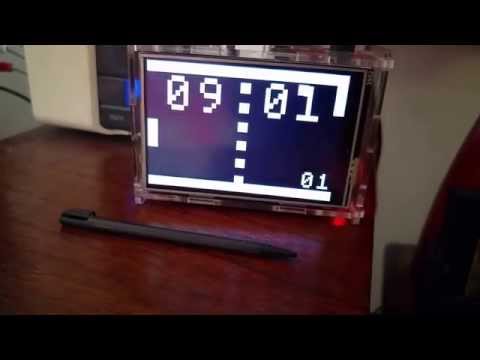
After seeing the amazing Instructables Pong Clock I wanted to build my own, so I plugged a cheap LCD screen on a raspberry pi, and wrote this little pong clock as a tribute to the original game (which I was fortunate to own, back when it was commercially distributed).
Watch it in action
You need to have a c++ compiler and the SDL2 library, so if you are using a debian/raspbian/ubuntu, first install the dependencies:
sudo apt-get install g++ make qt5-qmake libsdl2-dev libsdl2-image-dev
then
qmake -makefile clock.pro && make
This should give you a 'clock' executable.
On a raspbian, I use a start-clock.sh script
#!/bin/bash
export DISPLAY=:0
/home/pi/src/clock/clock &
Then, just add to ~/.profile
if [ ! "$(pidof clock)" ] ; then
    $HOME/start-clock.sh &
fi
To build your own, you need a Raspeberry Pi, an LCD screen, and optionally a case. My configuration was:
- a Raspberry Pi 2
- a cheap OSOYOO 3.5 Inches Touch Screen, provided with a transparent case
- a USB Wifi key, so that the raspberry can use ntp
The screen works fine, except it has a really low refresh rate, as you can see on the video. It may be 1fps or something, but it has a low consumption and does not need any external power source, which is good for a decorative clock.
There's nothing more to it really.
Licensed under the Apache License, Version 2.0 (the "License"); you may not use this file except in compliance with the License. You may obtain a copy of the License at
http://www.apache.org/licenses/LICENSE-2.0
Unless required by applicable law or agreed to in writing, software distributed under the License is distributed on an "AS IS" BASIS, WITHOUT WARRANTIES OR CONDITIONS OF ANY KIND, either express or implied. See the License for the specific language governing permissions and limitations under the License.
The Victoria font comes from the 8-bit font package at opengameart.org and has a licence of its own (CC0 public domain)