This is a helper package that automatically installs and updates vale-ls for Sublime Text. Vale is a syntax-aware linter for prose built with speed and extensibility in mind.
To use this package, you must have the LSP package installed.
It's recommended, but not required, to install the LSP-json package which will provide auto-completion and validation for this package's settings.
| HoverProvider | CompletionProvider |
|---|---|
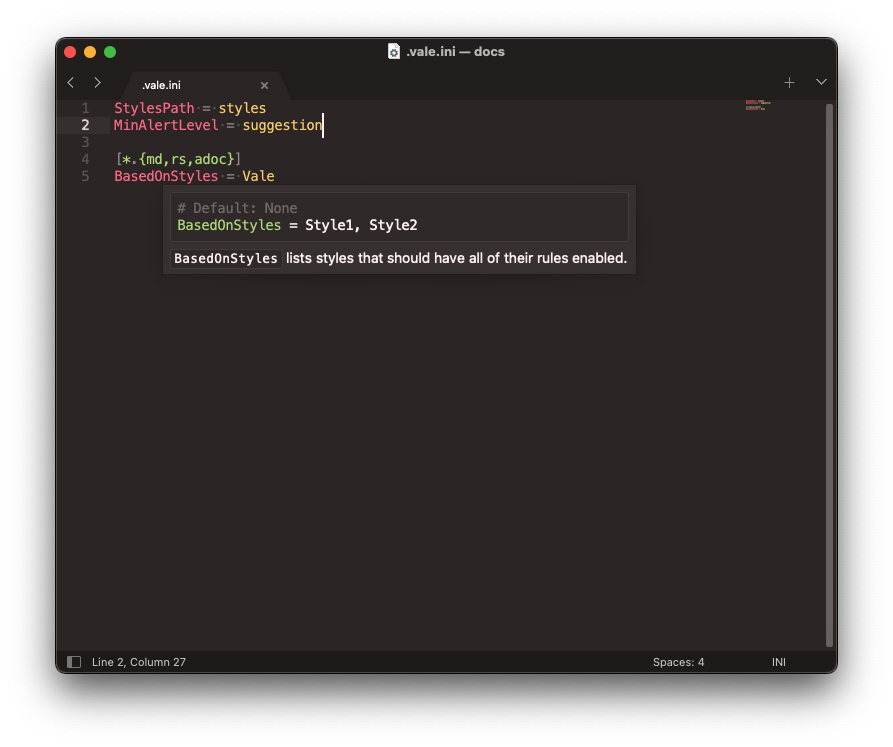
|

|
| See in-editor documentation for any symbol. | Autocomplete all StylesPath assets: Styles, Packages, Vocabularies, etc. |
| DocumentLinkProvider | CodeActionProvider |

|

|
| Quickly navigate to external URLs. | Fix alerts with a single click. |
The server also provides:
- Diagnostics: Vale's alerts, updated as you type rather than only on save (see
lintOnChangeanddebounceMs). - CodeLensProvider: a per-document metrics lens — word count, reading time, and so on (see
showMetrics). - Vocabulary code actions: accept a flagged term into your vocabulary, or reject it.
There are multiple ways to configure the package and the language server.
-
Global configuration:
Preferences > Package Settings > LSP > Servers > LSP-vale-ls -
Project-specific configuration: From the Command Palette run
Project: Edit Projectand add your settings in:{ "settings": { "LSP": { "LSP-vale-ls": { "initialization_options": { // Put your settings here } } } } }
| Setting | Default | Description |
|---|---|---|
installVale |
true |
Install and update Vale automatically. If false, Vale must be installed and available on your $PATH. |
syncOnStartup |
true |
Run vale sync when the server starts. |
filter |
"" |
An output filter to apply when calling Vale. |
configPath |
"" |
An absolute path to a .vale.ini file, used instead of the default search process. |
valeBinaryPath |
"" |
An absolute path to the Vale binary to run, instead of the server-managed copy. |
lintOnChange |
true |
Lint the buffer as it changes, not just when it's saved. |
debounceMs |
300 |
How long typing has to settle before linting, in milliseconds. |
showMetrics |
true |
Show the document metrics code lens. |
root |
"" |
An absolute path to the directory to run Vale from, instead of the document's workspace folder. |
From the Command Palette:
LSP-vale-ls: Sync Configuration— download the packages and styles your.vale.iniasks for.LSP-vale-ls: Install or Update Vale— install or update the server-managed copy of Vale.